What are web technologies?
Lecture 1 – Introduction to Web Technologies
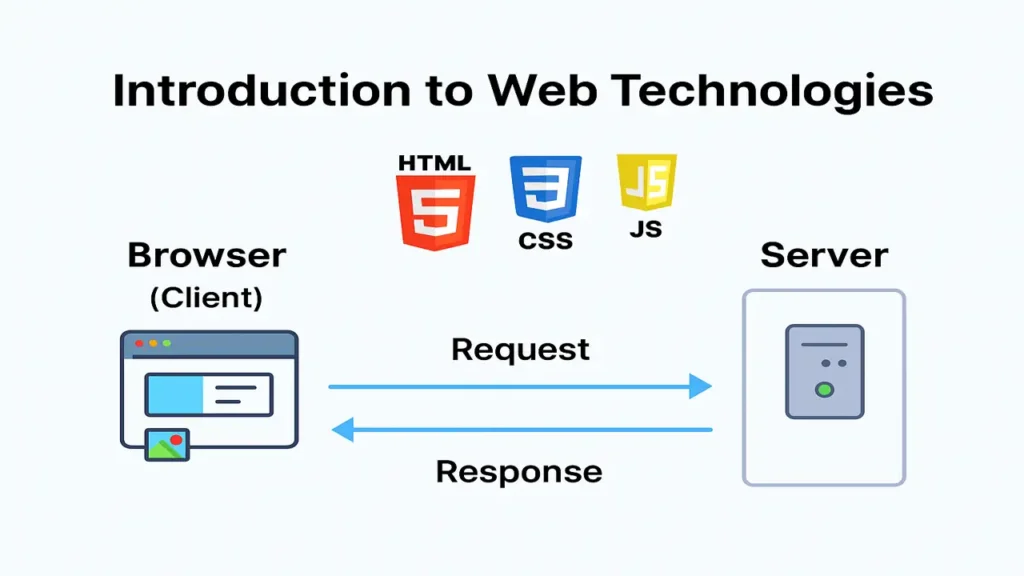
The internet is the backbone of the modern world. Every website, app, and online service we use daily from Google to Instagram runs on Web Technologies.
In this lecture, you’ll learn:
- How the web works behind the scenes
- The role of HTML, CSS, and JavaScript
- How to set up your coding environment using VS Code and Live Server
How the Web Works (Client–Server Model)
Concept Overview
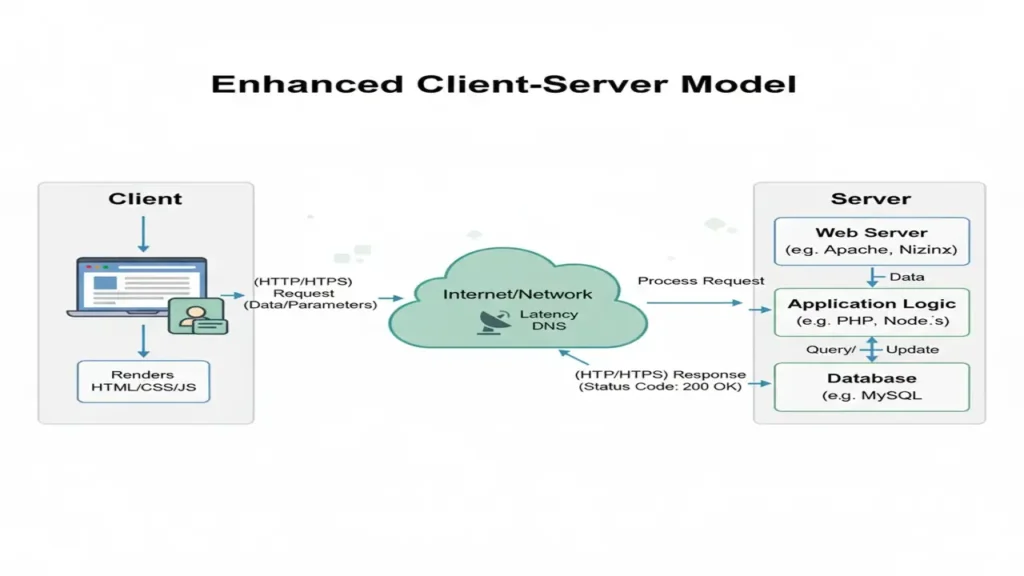
When you open a website like Electuresai.com, your browser sends a request to a server.
The server processes it and sends back the required files (HTML, CSS, JS, images, etc.), which your browser displays.
Step-by-Step Flow
- User enters a website URL in the browser.
- Browser sends a request (HTTP/HTTPS) to the web server.
- Server finds the requested page or data.
- Response (HTML, CSS, JS) is sent back to the browser.
- Browser renders the page for the user to view.
Example
When you visit facebook.com:
- Your browser requests the homepage from Facebook’s servers.
- The server responds with the page structure (HTML), styling (CSS), and logic (JS).
- Your browser renders the final page you see.
HTML – The Structure of the Web
What is HTML?
HTML (HyperText Markup Language) defines the structure of web pages — like the skeleton of a body.
Key Elements
<h1>to<h6>– Headings<p>– Paragraphs<img>– Images<a>– Links<form>– Input forms
<!DOCTYPE html>
<html>
<head>
  <title>My First Web Page</title>
</head>
<body>
  <h1>Welcome to ElecturesAI</h1>
  <p>This is your first step into web development!</p>
</body>
</html>
Learn HTML Fundamentals, everything you need to know.
CSS – The Design of the Web
What is CSS?
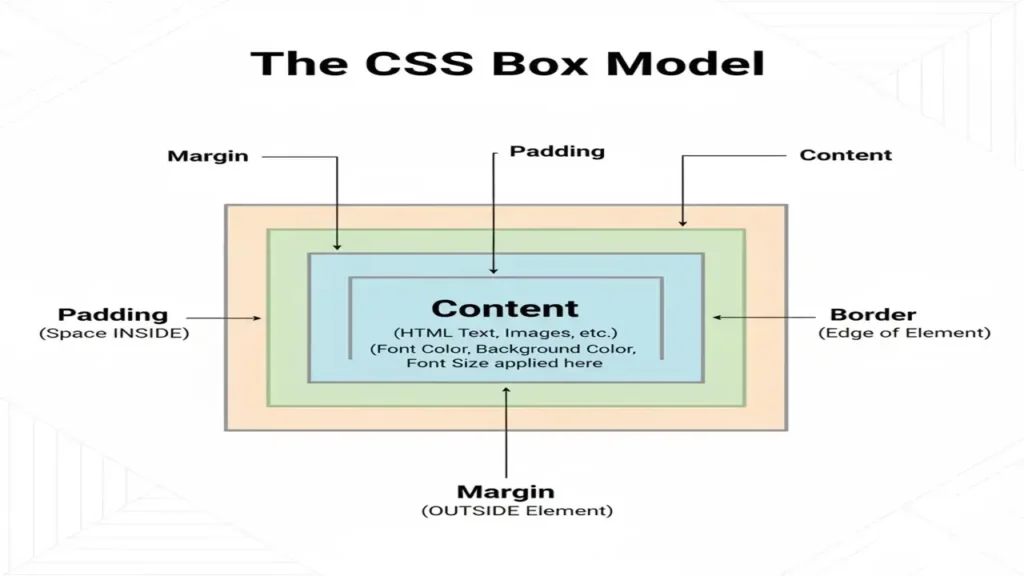
CSS (Cascading Style Sheets) defines how HTML elements look colors, fonts, layout, and responsiveness.
Example
h1 {
  color: #2f855a;
  font-family: 'Poppins', sans-serif;
  text-align: center;
}
body {
  background-color: #f7f9fc;
}
For deep insights, visit:
Modern CSS Layouts.
JavaScript – The Logic of the Web
What is JavaScript?
JavaScript makes websites interactive and dynamic it’s what allows buttons to work, animations to run, and data to update without reloading the page.
Example
<button onclick="showMessage()">Click Me</button>

<script>
  function showMessage() {
    alert("Hello, Web Developer!");
  }
</script>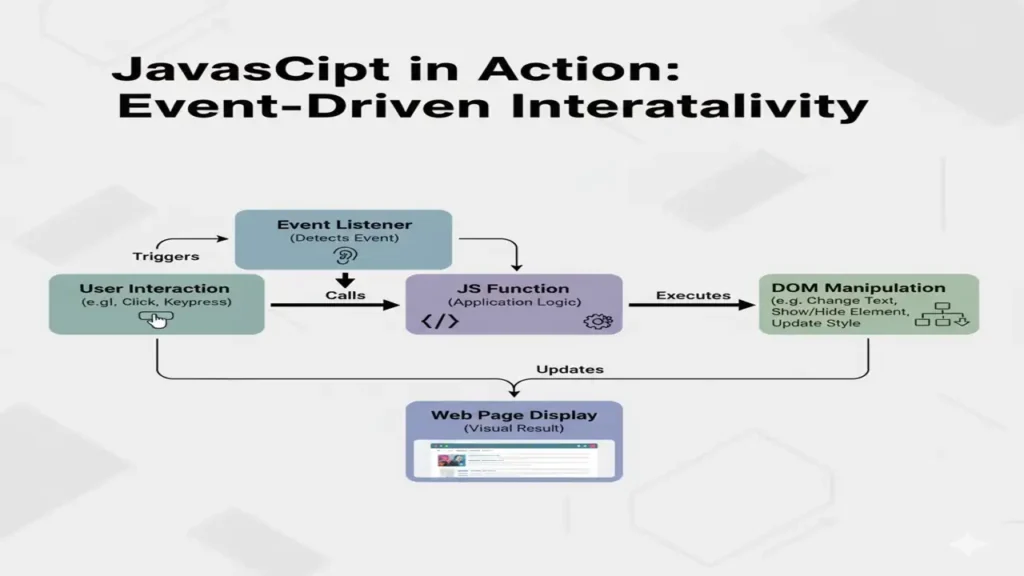
From beginner to pro guide on Java Script introduction, must to visit.
Tools for Web Development (VS Code & Live Server)
1. Visual Studio Code (VS Code)
A lightweight, powerful code editor with built-in extensions for HTML, CSS, and JavaScript.
Why Use It:
- Syntax highlighting
- Auto-completion
- Integrated terminal
- Git support
2. Live Server Extension
Automatically reloads your webpage whenever you save changes ideal for real-time testing.
Steps to Use:
- Install VS Code
- Install “Live Server” extension
- Open your project folder
- Right-click
index.html→ Open with Live Server
Practical Exercise
Create a small webpage using all three technologies:
<!DOCTYPE html>
<html>
<head>
  <title>My First Site</title>
  <style>
    body { background: #f0f0f0; text-align: center; font-family: sans-serif; }
    button { background: #2f855a; color: white; border: none; padding: 10px; }
  </style>
</head>
<body>
  <h1>Hello Web!</h1>
  <button onclick="alert('Welcome to Web Development!')">Click Me</button>
</body>
</html>
Open it using Live Server to see instant results.
Conclusion
This lecture introduced the core pillars of web development:
- HTML defines the structure
- CSS defines the style
- JavaScript defines the logic
Together, they form the front-end foundation of every modern website.
You also learned about the client–server model, and how to set up a practical coding environment with VS Code and Live Server.
People also ask:
Web technologies are tools and techniques used to create, manage, and deliver websites and applications over the internet, including HTML, CSS, JavaScript, and web servers.
They enable interaction between users and websites, making online experiences dynamic, secure, and efficient across all devices.
They include client-side technologies like HTML, CSS, and JavaScript, and server-side technologies like PHP, Node.js, and databases such as MySQL or MongoDB.