What is exception handling in programming?
Lecture 13 – Exception Handling
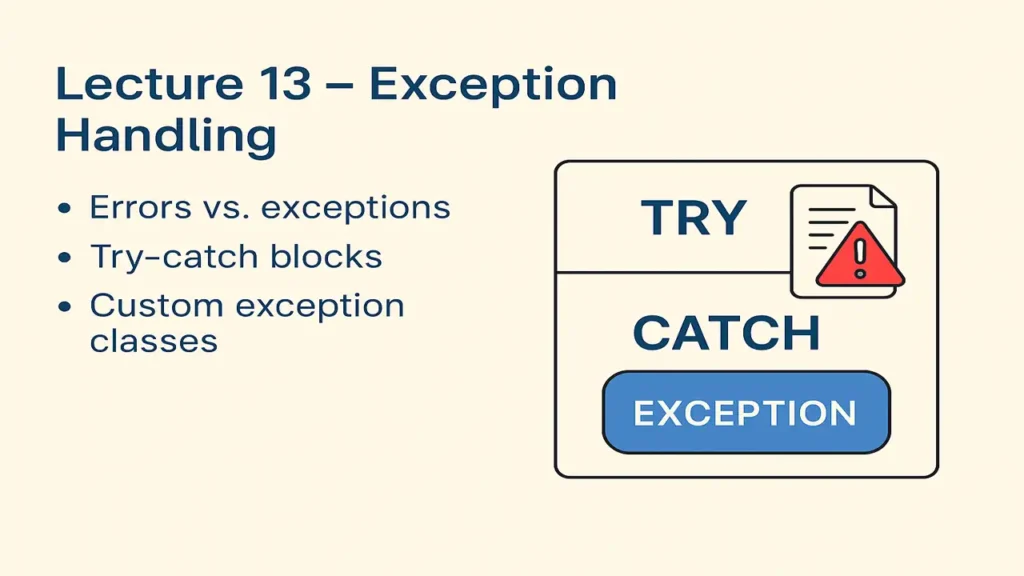
Learn about Exception Handling in Object-Oriented Programming. Understand the difference between errors and exceptions, master try-catch blocks, and explore how to create custom exception classes in C++ and Java with examples.
Introduction
In programming, errors are unavoidable but how we handle them determines whether our program crashes or recovers gracefully.
That’s where Exception Handling comes in.
Definition:
Exception Handling is a mechanism to detect and handle runtime errors so that the program can continue execution smoothly.
Errors vs. Exceptions
| Type | Description | Example |
|---|---|---|
| Error | Serious issues beyond program control | Out of memory, hardware failure |
| Exception | Problems during execution that can be handled | Division by zero, invalid input |
Errors usually mean program termination, while exceptions can be caught and managed.

Very recent lecture:
Lecture 12 – Composition and Aggregation
Why Exception Handling?
Prevents program crash
Keeps code clean and readable
Separates normal logic from error handling
Improves debugging and reliability
Try-Catch Block – The Core of Exception Handling
The try-catch mechanism allows programmers to “try” a risky operation and “catch” any exceptions that occur.
Example (C++):
#include <iostream>
using namespace std;

int main() {
    int a = 10, b = 0;
    try {
        if (b == 0)
            throw "Division by zero error!";
        cout << a / b;
    }
    catch (const char* msg) {
        cout << "Exception caught: " << msg << endl;
    }
    return 0;
}
Explanation:
- Code inside
trymay cause an exception. - If it occurs,
throwsends the exception tocatch. - The
catchblock handles it gracefully.
Example (Java):
class Main {
    public static void main(String[] args) {
        int a = 10, b = 0;
        try {
            int result = a / b; // risky code
        } catch (ArithmeticException e) {
            System.out.println("Error: " + e.getMessage());
        }
        System.out.println("Program continues normally...");
    }
}
Key Points:
- In Java, exceptions are objects (like
ArithmeticException). - After handling, the program continues instead of crashing.
Multiple Catch Blocks
You can catch different types of exceptions separately.
Example (Java):
try {
    int[] arr = new int[3];
    arr[5] = 10;
} catch (ArithmeticException e) {
    System.out.println("Arithmetic error occurred!");
} catch (ArrayIndexOutOfBoundsException e) {
    System.out.println("Array index out of range!");
} catch (Exception e) {
    System.out.println("General exception: " + e.getMessage());
}
Order matters specific exceptions must be caught before general ones.
Finally Block (Java Only)
The finally block runs whether or not an exception occurs ideal for cleanup code.
Example:
try {
    int data = 10 / 0;
} catch (Exception e) {
    System.out.println("Caught an exception!");
} finally {
    System.out.println("Closing resources...");
}
Output:
Caught an exception!
Closing resources...
Throwing Custom Exceptions
Sometimes built-in exceptions aren’t enough we can define custom exception classes.
Example (Java):
class InvalidAgeException extends Exception {
    public InvalidAgeException(String message) {
        super(message);
    }
}

public class Main {
    static void checkAge(int age) throws InvalidAgeException {
        if (age < 18)
            throw new InvalidAgeException("Age must be 18 or older!");
        else
            System.out.println("Welcome to the program!");
    }

    public static void main(String[] args) {
        try {
            checkAge(15);
        } catch (InvalidAgeException e) {
            System.out.println("Exception: " + e.getMessage());
        }
    }
}
Explanation:
InvalidAgeExceptionextendsException.throwsends it,catchhandles it.
Example (C++):
#include <iostream>
#include <stdexcept>
using namespace std;

class InvalidAgeException : public exception {
public:
    const char* what() const noexcept override {
        return "Age must be 18 or older!";
    }
};

void checkAge(int age) {
    if (age < 18)
        throw InvalidAgeException();
    else
        cout << "Welcome to the program!" << endl;
}

int main() {
    try {
        checkAge(15);
    }
    catch (const exception& e) {
        cout << "Exception: " << e.what() << endl;
    }
}
Exception Hierarchy in Java
Throwable
│
├── Error (Serious issues)
│   ├── OutOfMemoryError
│   └── StackOverflowError
│
└── Exception (Recoverable issues)
    ├── IOException
    ├── SQLException
    ├── RuntimeException
    │     ├── ArithmeticException
    │     └── NullPointerException
    └── Custom Exceptions
Here is a website which is totally build on HTML, CSS and J.S, you can check it out The Stoves Nest.
Best Practices
Always use specific exceptions
Avoid empty catch blocks
Clean up resources in finally
Don’t overuse try-catch validate input instead
Log exceptions for debugging
Summary of Lecture 13
| Concept | Description | Example |
|---|---|---|
| Error vs Exception | Error is system-level; Exception is recoverable | Division by zero |
| Try-Catch | Handle exceptions gracefully | try { } catch(Exception e) { } |
| Custom Exception | User-defined exception | InvalidAgeException |
| Finally Block | Executes always | Cleanup or close file |
Positive Thought for Students
“Handling exceptions is like life don’t let one error stop your journey. Catch it, learn, and move forward smarter.”
People also ask:
Exception handling is a way to manage runtime errors so a program can continue running or fail gracefully instead of crashing.
It helps improve program reliability, makes debugging easier, and ensures users get proper error messages instead of unexpected failures.
Most languages use keywords like try, catch, throw, and finally to detect and handle exceptions safely.