What is IoT architecture?
Lecture 2 – IoT Architecture and TCP/IP Model
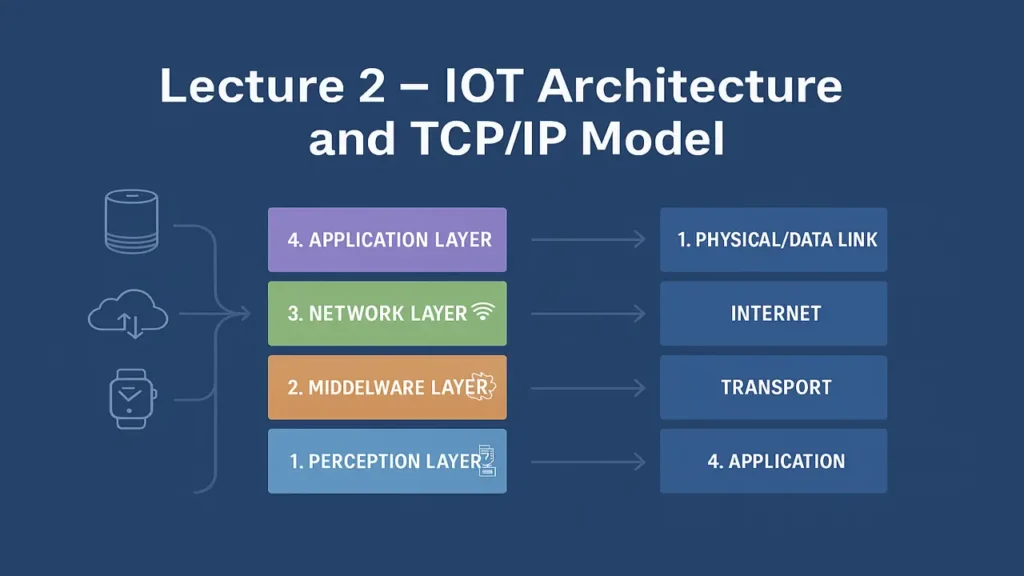
The structure of IoT architecture and its relation to the TCP/IP model. Explore four IoT layers, key protocols, and a practical lab on layer mapping.
Understanding IoT Architecture
The Internet of Things (IoT) architecture defines how connected devices interact, process data, and communicate across networks. It consists of multiple layers each responsible for specific tasks like data collection, transmission, processing, and presentation.
In simple terms, IoT architecture acts as a bridge between the physical and digital worlds, enabling machines to sense the environment and send data to the cloud for analysis and automation.
Four-Layer IoT Architecture
The modern IoT stack is often explained using a four-layer architecture that aligns closely with the traditional TCP/IP model.
| IoT Layer | Purpose | Examples of Technologies and Protocols |
|---|---|---|
| Perception Layer | Collects data from sensors and actuators in the physical world. | RFID, Sensors, Actuators, Camera Modules |
| Network Layer | Transmits data securely to servers and cloud platforms. | Wi-Fi, BLE, ZigBee, 6LoWPAN, LoRaWAN, IP Protocols |
| Middleware Layer | Manages data processing, storage, and connectivity between devices and applications. | MQTT, CoAP, HTTP, Node-RED, Edge Computing |
| Application Layer | Provides user interfaces and domain-specific services. | Smart Home Apps, Health Dashboards, IoT Analytics |
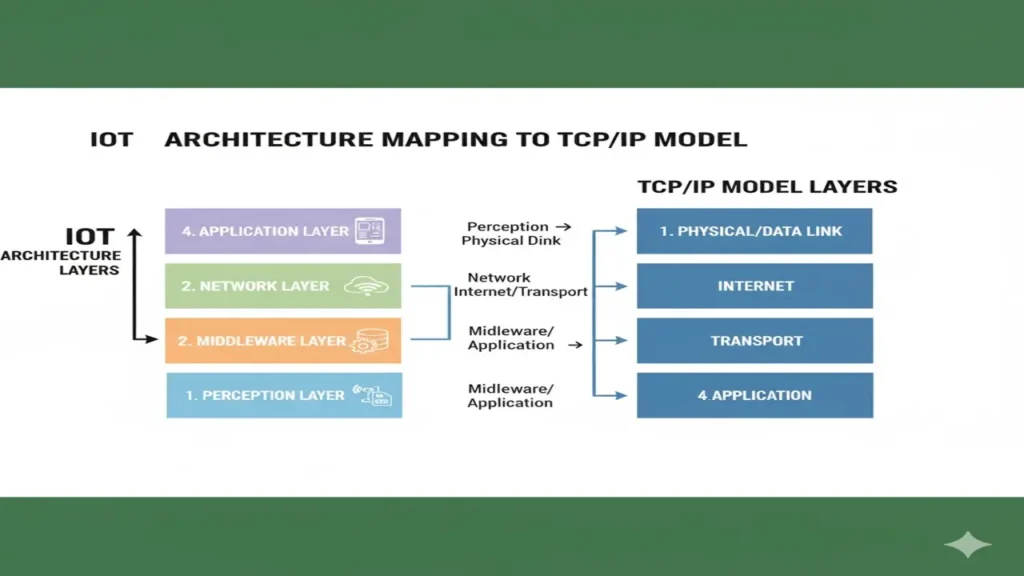
How IoT Maps to the TCP/IP Model
| IoT Stack Layer | Equivalent TCP/IP Layer | Example Protocols Used in IoT |
|---|---|---|
| Perception | Physical + Data Link | IEEE 802.15.4, BLE, ZigBee |
| Network | Network | IPv6, 6LoWPAN |
| Middleware | Transport + Session | TCP, UDP, MQTT, CoAP |
| Application | Application | HTTP, MQTT, CoAP, AMQP |
The TCP/IP model (Transport Control Protocol / Internet Protocol) provides the foundation for IoT communication.
Each IoT layer depends on TCP/IP to transmit data from the sensing device all the way to the application server or dashboard.
Common IoT Protocols
| Protocol | Purpose | Where Used |
|---|---|---|
| MQTT | Lightweight publish/subscribe messaging for small devices. | Middleware & Application Layers |
| CoAP | Resource-constrained REST-like protocol. | Middleware Layer |
| HTTP/HTTPS | Web communication between IoT and servers. | Application Layer |
| LoRaWAN | Long-range low-power communication. | Network Layer |
| 6LoWPAN | IPv6 over Low-Power Wireless Networks. | Network Layer |
Laboratory Exercise Layer Mapping with Real Examples
Hardware Required
| Component | Purpose |
|---|---|
| Arduino UNO or ESP32 | The brain of your IoT system it reads sensor data and sends it to the network. |
| Wi-Fi Module (ESP8266 optional) | Connects your device to the internet or local network. |
| DHT22 Sensor | Measures temperature and humidity your data source. |
| Laptop with Arduino IDE and Node-RED | Used to program, process, and visualize data. |
ESP32 has built-in Wi-Fi, so you don’t need a separate Wi-Fi module if you’re using it.
Step-by-Step Procedure
Step 1: Identify the Perception Layer
This is where data is collected from the physical world.
Connect your DHT22 sensor to the ESP32 and upload a simple Arduino sketch to read temperature and humidity values.
#include "DHT.h"
#define DHTPIN 2
#define DHTTYPE DHT22
DHT dht(DHTPIN, DHTTYPE);

void setup() {
  Serial.begin(9600);
  dht.begin();
}

void loop() {
  float t = dht.readTemperature();
  float h = dht.readHumidity();
  Serial.print("Temp: "); Serial.print(t); Serial.print("°C  ");
  Serial.print("Humidity: "); Serial.print(h); Serial.println("%");
  delay(2000);
}
You’ve just worked on the Perception Layer the point where the IoT system senses its environment.
(In the TCP/IP model, this corresponds to the Physical + Data Link Layers.)
Step 2: Map the Network Layer
Now your ESP32 needs to transmit this data across the network.
Use Wi-Fi to send your sensor data to your computer running Node-RED on the same local network.
In Arduino IDE, add Wi-Fi credentials and confirm successful connection via Serial Monitor.
You’re now interacting with the Network Layer responsible for data transfer using IP protocols like IPv4 or IPv6.
(In TCP/IP, this matches the Network Layer.)
Step 3: Define the Middleware Layer
At this stage, your system must manage communication between devices.
Use MQTT (Message Queuing Telemetry Transport) a lightweight IoT protocol to publish your sensor data to a broker (like Mosquitto).
Node-RED can subscribe to this data and process it in real time.
You’re working within the Middleware Layer, which ensures reliable messaging and data flow.
(This aligns with the Transport and Session Layers in TCP/IP.)
Step 4: Visualize the Application Layer
Finally, make your IoT project come alive visually!
In Node-RED, create a dashboard that shows real-time temperature and humidity readings from your ESP32.
You can even add gauges, graphs, or alerts when the temperature crosses a threshold.
This is the Application Layer, where users interact with data through applications and dashboards.
(This corresponds to the Application Layer in the TCP/IP model.)
Understanding the Layer Mapping
| IoT Architecture Layer | Your Example | Equivalent TCP/IP Layer |
|---|---|---|
| Perception Layer | DHT22 Sensor | Physical + Data Link |
| Network Layer | Wi-Fi (ESP32/ESP8266) | Network |
| Middleware Layer | MQTT Broker (Mosquitto, Node-RED) | Transport + Session |
| Application Layer | Node-RED Dashboard | Application |
The approach followed at E Lectures reflects both academic depth and easy-to-understand explanations.
Summary
In this lecture, you learned how IoT architecture mirrors the TCP/IP model. You now understand how data flows from the Perception Layer (sensors) to the Application Layer (user interface).
This layered understanding forms the basis for designing scalable and secure IoT systems an essential skill for your future projects.
People also ask:
IoT architecture is the structural design that defines how IoT devices, networks, and software interact. It describes how data moves from sensors (that collect data) to the applications (that display or act on it).
The standard four-layer IoT architecture includes:
- Perception Layer – Sensors and devices that gather data.
- Network Layer – Transfers data using Wi-Fi, LoRa, or cellular networks.
- Middleware Layer – Handles communication, data storage, and processing (e.g., MQTT, CoAP).
- Application Layer – Provides services or dashboards to the end-user.
The IoT stack mirrors the TCP/IP model because it also depends on the same network communication principles.
- The Perception Layer aligns with Physical + Data Link layers.
- The Network Layer corresponds to the Network layer (IP-based).
- The Middleware Layer matches Transport + Session layers (using TCP, UDP, MQTT).
- The Application Layer equals the Application layer of TCP/IP (using HTTP, CoAP, etc.).
The Perception Layer acts as the “eyes and ears” of the system. It collects physical information such as temperature, humidity, motion, or location using sensors and sends that raw data to the network layer.
Some popular IoT communication protocols include:
- MQTT (Message Queuing Telemetry Transport) – Lightweight and ideal for low-power devices.
- CoAP (Constrained Application Protocol) – For devices with limited bandwidth.
- HTTP/HTTPS – Common in web-connected IoT systems.
- LoRaWAN / 6LoWPAN – For long-range, low-power communications.