What is the difference between port 25 and 587 for email?
TCP/IP Application Services HTTP, DNS, SMTP/IMAP/POP3, FTP/SFTP, SSH, NTP (Ports & Security)
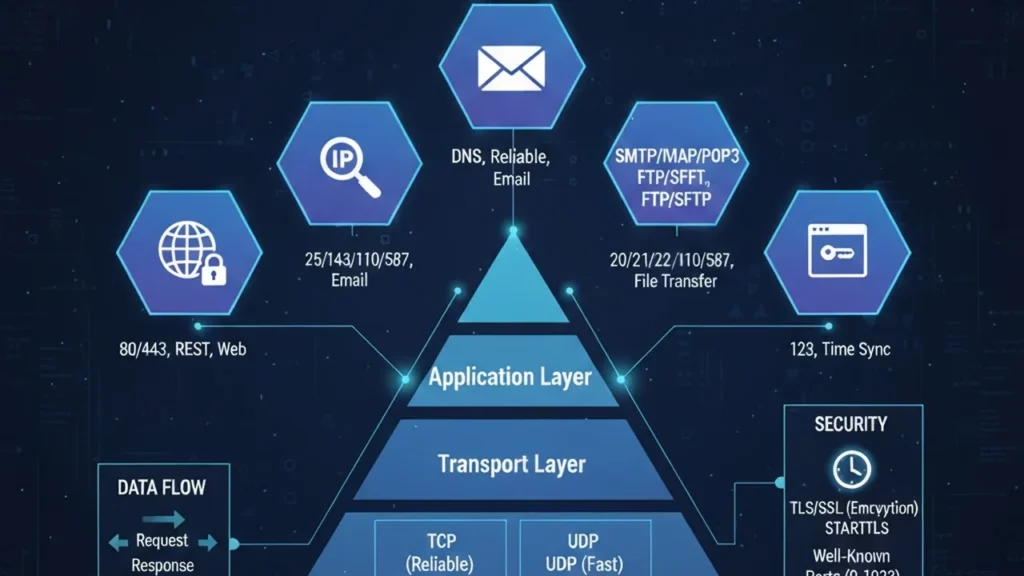
Understand major TCP/IP application services HTTP, DNS, SMTP/IMAP/POP3, FTP/SFTP, SSH, NTP—plus ports, transports, TLS/STARTTLS, DoH/DoT, and labs.
Application Layer in TCP/IP
Application protocols sit above the Transport layer. They rely on TCP for reliability, UDP for low-latency delivery, or QUIC (UDP-based) for modern HTTP/3. They identify endpoints using well-known ports (0–1023) and registered ports (1024–49151).
HTTP/HTTPS (Web)
- Ports: 80 (HTTP), 443 (HTTPS)
- Transport: TCP (HTTP/1.1 & HTTP/2), QUIC/UDP for HTTP/3
- Key headers:
Host,Content-Type,Cache-Control,ETag,Set-Cookie - Security: TLS + HSTS; modern sites should avoid plain HTTP.
Try it
curl -I https://example.comDNS (Name Resolution)
- Ports: 53 (UDP by default; TCP 53 for large answers/zone transfers)
- Security: DoT (DNS over TLS, port 853), DoH (DNS over HTTPS, port 443), DNSSEC (authenticity of data)
- Usage: Converts domain names to IPs.
Try it
dig A example.com
dig +tcp example.com
Email: SMTP, Submission, IMAP, POP3
- SMTP (relay): TCP 25 – server-to-server mail transfer
- Submission (MSA): TCP 587 – client-to-server mail submission (AUTH + STARTTLS)
- SMTPS (legacy): TCP 465 – implicit TLS
- IMAP: TCP 143, or 993 with TLS – mailbox sync
- POP3: TCP 110, or 995 with TLS – download and optionally delete
Try it (read-only peek)
openssl s_client -starttls smtp -connect mail.example.com:587File Transfer: FTP vs SFTP
- FTP: TCP 21 control + 20 data (active) or ephemeral data ports (passive). Complex with NAT/firewalls; use FTPS for TLS.
- SFTP: SSH file transfer over TCP 22 (not FTP). Simpler through firewalls and recommended for secure file movement.
SSH (Secure Shell)
- Port: 22/TCP
- Use: Remote login, port forwarding, secure tunnels, SFTP.
- Keys: Prefer key-based auth over passwords.
NTP (Time Sync)
- Port: 123/UDP
- Use: Keeps system clocks accurate critical for TLS, logs, and distributed systems.
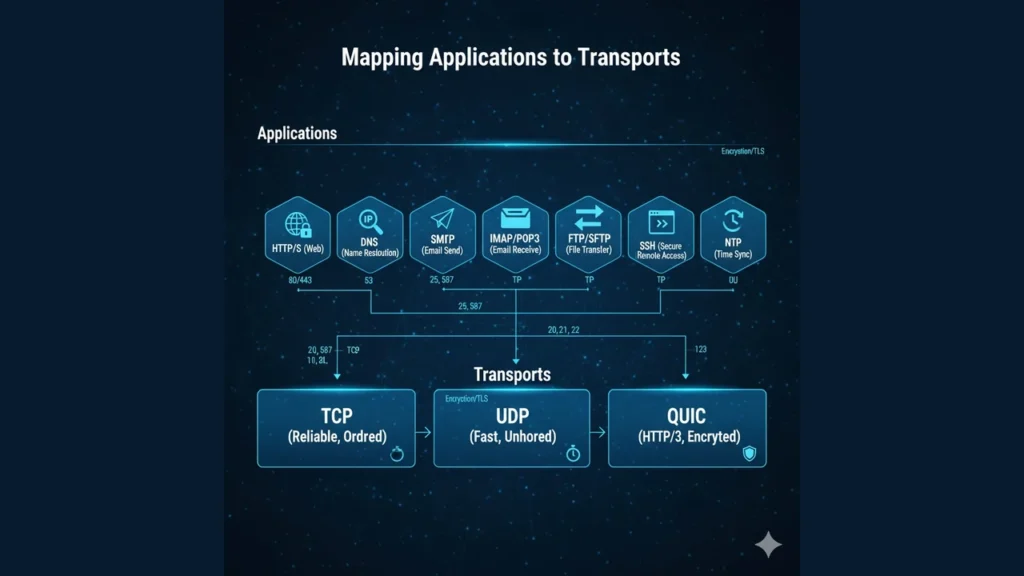
Applications and TCP/IP Layers, Ports, TCP vs UDP, IP & Routing Basics
Security Upgrades: TLS, STARTTLS, DoH/DoT
- TLS (HTTPS/implicit): e.g., HTTPS on 443, IMAPS on 993.
- STARTTLS (opportunistic/explicit): Upgrade a plain TCP connection to TLS (e.g., SMTP on 587, IMAP on 143).
- DoT/DoH: Encrypt DNS to prevent snooping; DoH uses standard HTTPS stacks.
Hands-On Mini Lab
- HTTP headers:
curl -I https://example.com - DNS compare:
dig A example.comvsdig +tcp A example.com - SMTP greet:
openssl s_client -starttls smtp -connect mail.example.com:587(typeEHLO test) - SSH key check:
ssh-keygen -l -f ~/.ssh/id_rsa.pub - NTP peers (Linux):
chronyc sourcesorntpq -p
Troubleshooting Playbook
- Name resolves but connect fails: Port blocked by firewall/NAT.
- Email auth errors: Submission should be on 587 with STARTTLS, not port 25.
- FTP stuck on listing: Switch to passive mode or use SFTP.
- DNS timeouts: Try TCP 53; verify EDNS settings; test DoH/DoT if blocked.
- Clock skew: Fix NTP first TLS and tokens rely on accurate time.
The approach followed at E Lectures reflects both academic depth and easy-to-understand explanations.
Summary
- Learn ports + transports for each service; this alone solves many incidents.
- Prefer encrypted variants (HTTPS, IMAPS, SMTPS/Submission, SFTP, DoH/DoT).
- For file transfer through NAT/firewalls, SFTP is usually the cleanest path.
- Use the lab tools (
curl,dig,openssl s_client,ssh) to verify from first principles.
People also ask:
Port 25 is for server-to-server relay; 587 is for client submission with authentication and STARTTLS.
No. SFTP runs over SSH (22/TCP). FTPS is FTP with TLS; it still needs separate data channels and can be painful behind NAT.
Large responses, zone transfers (AXFR/IXFR), or when UDP is blocked/fragmented. Modern DNS uses EDNS0 to extend UDP sizes, but TCP remains necessary.
Yes, HTTP/3 is carried over QUIC, which uses UDP (usually port 443).
Usually no. For user submission, require 587 (AUTH + STARTTLS). Keep 25 open only for server-to-server mail if you run an MX.