Introduction to Cyber Security: Complete Guide for Semester Exams
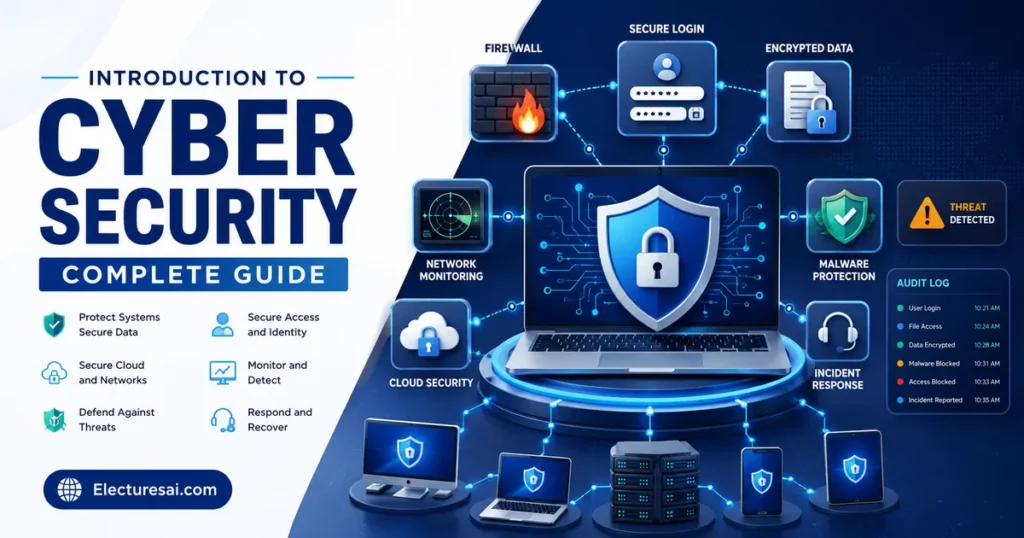
Introduction to Cyber Security is an essential subject for students of Computer Science, Information Technology, Software Engineering, Data Science, Business Information Systems, and related programs. It explains how computers, networks, applications, devices, and information are protected from unauthorized access, misuse, disruption, alteration, and destruction.
Students often think that cyber security is limited to antivirus software or password protection. In reality, it includes people, policies, technology, risk management, physical protection, secure software development, monitoring, incident response, and recovery.
Consider a university student portal. The system must protect student passwords, prevent unauthorized changes to marks, remain available during registration, record important activities, and recover after a technical failure. A single firewall or antivirus program cannot provide all of these protections. Multiple controls must work together.
This guide introduces the most important cyber security concepts in clear academic language. It will help you prepare for semester exams, MCQs, assignments, short questions, case studies, and descriptive answers.
Table of Contents
- What Is Cyber Security?
- Core Objectives of Cyber Security
- Assets, Threats, Vulnerabilities, and Risk
- Common Cyber Threats and Attacks
- Cyber Security Controls
- Identity and Access Management
- Network and Endpoint Security
- Application and Data Security
- Introduction to Cryptography
- Incident Response and Recovery
- Important Topics for Exam Preparation
- How to Study Cyber Security Effectively
- Common Mistakes Students Make
- Expert Tips for Scoring High
- Practice MCQs
- Frequently Asked Questions
- Conclusion
What Is Cyber Security?
Cyber Security is the practice of protecting computers, networks, applications, devices, and digital information from unauthorized access, attacks, damage, disruption, and misuse.
Cyber security protects both technology and the activities performed through technology. It covers personal devices, business systems, government networks, cloud platforms, mobile applications, industrial equipment, and internet-connected devices.
Important areas of cyber security include:
- Network security
- Application security
- Endpoint security
- Cloud security
- Mobile security
- Data security
- Identity and access management
- Security monitoring
- Incident response
- Disaster recovery
- Security awareness
Cyber Security and Information Security
Cyber security mainly focuses on protecting digital systems and electronic information from cyber-related threats.
Information security is broader. It protects information in all forms, including digital files, printed documents, verbal communication, and physical records.
Cyber security is therefore an important part of information security.
Why Is Cyber Security Important?
Organizations depend on digital systems for communication, financial transactions, education, healthcare, transportation, public services, and business operations.
A successful cyberattack may cause:
- Financial loss
- Data theft
- Privacy violations
- Service interruption
- Loss of customer trust
- Damage to reputation
- Legal and contractual problems
- Loss of intellectual property
- Safety risks in critical systems
Cyber security reduces these risks by combining preventive, detective, corrective, and recovery controls.
Core Objectives of Cyber Security
Confidentiality
Confidentiality ensures that information is available only to authorized users, applications, and systems.
Examples of confidentiality controls include:
- Passwords
- Access permissions
- Encryption
- Data classification
- Multi-factor authentication
- Secure physical storage
If an unauthorized person reads private customer records, confidentiality has been violated.
Integrity
Integrity ensures that information remains accurate, complete, and protected against unauthorized modification.
Integrity may be supported by:
- Hashing
- Digital signatures
- Audit logs
- Change control
- Database constraints
- Version control
- File permissions
If examination results are changed without authorization, the integrity of the data has been compromised.
Availability
Availability ensures that authorized users can access systems and information when needed.
Availability controls include:
- Backups
- Redundant servers
- Reliable power systems
- Monitoring
- Load balancing
- Disaster recovery
- Protection against denial-of-service attacks
A system may protect data confidentiality and integrity but still fail the organization if it remains unavailable during an important operation.
The CIA Triad
Confidentiality, Integrity, and Availability form the CIA triad, which is a basic model used to understand security objectives.
Text-described diagram:
Confidentiality + Integrity + Availability → Secure and dependable information systems
Authenticity
Authenticity confirms that a user, message, website, device, or data source is genuine.
Passwords, digital certificates, one-time codes, biometrics, and digital signatures may support authenticity.
Accountability
Accountability means that actions can be traced to the responsible person, account, application, or system.
Unique user accounts, audit logs, timestamps, and activity monitoring support accountability.
Non-Repudiation
Non-repudiation provides evidence that a particular action or transaction occurred and helps prevent a participant from denying it later.
Digital signatures, controlled transaction logs, and trusted timestamps may support non-repudiation.
Assets, Threats, Vulnerabilities, and Risk
Asset
An asset is anything valuable that requires protection.
Cyber security assets may include:
- Customer records
- Employee accounts
- Databases
- Applications
- Servers
- Network equipment
- Intellectual property
- Cloud services
- Organizational reputation
Threat
A threat is a potential cause of harm to an asset.
Threats may include cybercriminals, malicious insiders, malware, hardware failures, human mistakes, natural disasters, or dishonest service providers.
Vulnerability
A vulnerability is a weakness that a threat may exploit.
Examples include:
- Weak passwords
- Unpatched software
- Incorrect access permissions
- Unencrypted data
- Poor employee training
- Exposed network services
- Insecure application code
- Missing backups
Exploit
An exploit is a method, code, or technique used to take advantage of a vulnerability.
A vulnerability is the weakness. The exploit is the method used to misuse that weakness.
Risk
Risk is the possibility that a threat will exploit a vulnerability and cause harm to an asset.
A basic conceptual relationship is:
Risk depends on the likelihood of an incident and its possible impact.
Attack Surface
The attack surface includes all points through which an attacker may attempt to enter, manipulate, or extract information from a system.
It may include:
- User accounts
- Open network ports
- Web applications
- Mobile applications
- Cloud interfaces
- Email accounts
- USB devices
- Remote-access services
- Employees and suppliers
Reducing unnecessary services, accounts, permissions, and software can reduce the attack surface.
Common Cyber Threats and Attacks
Malware
Malware is software designed to damage, disrupt, spy on, or gain unauthorized access to systems.
Virus
A virus attaches itself to a file or program and normally requires user action to spread.
Worm
A worm can spread automatically through networks without attaching itself to another program.
Trojan Horse
A Trojan appears useful or legitimate but contains malicious functionality.
Ransomware
Ransomware encrypts or blocks access to data and demands payment or another action from the victim.
Spyware
Spyware secretly monitors activity or collects information from a device.
Rootkit
A rootkit attempts to hide malicious activity and maintain privileged access to a system.
Phishing
Phishing uses deceptive messages or websites to persuade users to reveal passwords, payment information, or other sensitive data.
Spear phishing targets a particular individual or organization using more personalized information.
Social Engineering
Social engineering manipulates people into performing unsafe actions or revealing confidential information.
Common techniques include:
- Pretexting
- Baiting
- Impersonation
- Tailgating
- Urgent fake requests
- Fraudulent technical support
Password Attacks
Password attacks include:
- Brute force: Trying many possible password combinations.
- Dictionary attack: Trying words and common password patterns.
- Credential stuffing: Reusing stolen username-password pairs on other services.
- Password spraying: Trying a small number of common passwords against many accounts.
Denial-of-Service Attack
A denial-of-service attack attempts to make a system or service unavailable by exhausting resources or causing disruption.
A distributed denial-of-service attack uses many compromised systems to generate the attack traffic.
Man-in-the-Middle Attack
In a man-in-the-middle attack, an attacker secretly intercepts or alters communication between two parties.
Encrypted and authenticated communication helps reduce this risk.
Insider Threat
An insider threat comes from a person with legitimate access, such as an employee, contractor, or business partner.
The insider may act intentionally or may cause harm through carelessness, weak passwords, or failure to follow procedures.
Web Application Attacks
Web applications may face attacks such as:
- SQL injection
- Cross-site scripting
- Broken access control
- Session theft
- Insecure file upload
- Command injection
Secure coding, validation, testing, patching, and access control reduce application risk.
Zero-Day Vulnerability
A zero-day vulnerability is a software weakness for which an effective fix may not yet be available to users.
Organizations use monitoring, segmentation, least privilege, and other layered controls to reduce exposure when a patch is unavailable.
Cyber Security Controls
Administrative Controls
Administrative controls use management processes, policies, training, and procedures.
Examples include:
- Security policies
- Employee awareness training
- Risk assessments
- Background checks
- Incident-response plans
- Change-management procedures
Technical Controls
Technical controls use hardware or software to protect systems.
Examples include:
- Firewalls
- Encryption
- Access-control systems
- Antivirus and endpoint protection
- Intrusion-detection systems
- Multi-factor authentication
- Security monitoring tools
Physical Controls
Physical controls protect buildings, equipment, storage media, and other physical assets.
Examples include locks, guards, access cards, cameras, secure server rooms, fences, and fire-suppression systems.
Preventive Controls
Preventive controls attempt to stop an incident before it occurs.
Examples include access restrictions, secure configuration, encryption, security training, and firewalls.
Detective Controls
Detective controls identify suspicious activity or security incidents.
Examples include logs, alarms, monitoring, intrusion detection, and file-integrity checking.
Corrective and Recovery Controls
Corrective controls reduce the impact of an incident and restore normal operation.
Examples include removing malware, applying patches, restoring backups, resetting compromised accounts, and rebuilding affected systems.
Defense in Depth
Defense in depth uses several layers of protection rather than depending on one security control.
Text-described model:
Security policy → User awareness → Access control → Firewall → Endpoint protection → Monitoring → Backup and recovery
If one control fails, another layer may still detect or stop the attack.
Identity and Access Management
Identification
Identification occurs when a user claims an identity, usually through a username, account number, or device identity.
Authentication
Authentication verifies the claimed identity.
Authentication factors include:
- Something you know, such as a password
- Something you have, such as a security token
- Something you are, such as a fingerprint
Multi-Factor Authentication
Multi-factor authentication requires evidence from more than one factor category.
A password and one-time code provide stronger protection than a password alone.
Authorization
Authorization determines what an authenticated user is permitted to access or perform.
A student may view personal marks but should not be able to modify the entire university results database.
Accounting and Auditing
Accounting records user and system activities. These records support monitoring, accountability, investigation, and compliance.
Least Privilege
Least privilege gives users, applications, and services only the permissions required for their tasks.
Need to Know
Need to know limits access to information required for a particular responsibility.
Separation of Duties
Separation of duties divides sensitive operations among different people.
For example, one employee may create a financial transaction while another approves it.
Network and Endpoint Security
Firewall
A firewall monitors and controls network traffic according to defined rules.
It can limit unauthorized connections but cannot protect against every threat, especially attacks using allowed traffic or stolen accounts.
Intrusion Detection and Prevention
An Intrusion Detection System identifies suspicious activity and generates alerts.
An Intrusion Prevention System can also block or disrupt selected malicious traffic.
Network Segmentation
Network segmentation divides a network into controlled sections.
It reduces unnecessary communication and can limit the movement of an attacker after one system is compromised.
Virtual Private Network
A Virtual Private Network creates a protected communication channel over an untrusted network.
A VPN helps protect data in transit but does not automatically make an infected device safe.
Endpoint Security
Endpoints include laptops, desktops, mobile devices, servers, and other connected systems.
Endpoint security may include:
- Antivirus or endpoint detection
- Security patches
- Disk encryption
- Application control
- Screen locking
- Secure configuration
- Remote management
Patch Management
Patch management identifies, tests, deploys, and verifies software updates.
Timely patching reduces exposure to known vulnerabilities.
Application and Data Security
Secure Software Development
Security should be considered throughout software development rather than added only after the application is completed.
Important activities include:
- Secure requirements
- Threat modeling
- Design review
- Input validation
- Secure coding
- Security testing
- Patch and update planning
Input Validation
Input validation checks whether data received by an application is in an expected format and range.
It helps reduce injection attacks and application errors.
Data Classification
Data classification groups information according to sensitivity and business value.
Common levels include:
- Public
- Internal
- Confidential
- Restricted
Classification affects storage, access, encryption, sharing, retention, and disposal.
Data at Rest, in Transit, and in Use
Data at rest is stored on disks, databases, backups, or devices.
Data in transit is moving through a network.
Data in use is being processed by a system or application.
Each state requires suitable security controls.
Backup
A backup is a copy of data used for recovery after deletion, corruption, ransomware, hardware failure, or disaster.
Backups should be protected, tested, and separated from systems that may be compromised.
Introduction to Cryptography
Encryption
Encryption transforms readable plaintext into unreadable ciphertext using an algorithm and key.
Authorized users with the correct key can decrypt the data.
Symmetric Encryption
Symmetric encryption uses the same secret key for encryption and decryption.
It is efficient for large amounts of data, but the secret key must be distributed securely.
Asymmetric Encryption
Asymmetric encryption uses a public key and a related private key.
The public key may be shared, while the private key must remain protected.
Hashing
Hashing produces a fixed-length digest from input data.
It is commonly used for integrity checking and secure password-storage systems.
Hashing is not intended to be reversed like encryption.
Digital Signature
A digital signature is created using the signer’s private key and verified using the corresponding public key.
It supports authenticity, integrity, and non-repudiation.
Digital Certificate
A digital certificate connects a public key with an identified person, organization, device, or website.
Certificates help users verify the identity of secure websites and services.
Incident Response and Recovery
An incident is an event that threatens the confidentiality, integrity, or availability of information systems.
Incident-Response Phases
- Preparation: Create plans, teams, tools, and communication procedures.
- Detection and analysis: Identify suspicious activity and determine its scope.
- Containment: Limit the spread and impact of the incident.
- Eradication: Remove malware, unauthorized access, or the root cause.
- Recovery: Restore systems and monitor them for recurring problems.
- Lessons learned: Review the incident and improve controls.
Business Continuity
Business continuity keeps critical operations functioning during disruption.
It includes people, processes, facilities, communication, suppliers, and technology.
Disaster Recovery
Disaster recovery focuses on restoring systems, applications, infrastructure, and data after a major disruption.
Security Awareness
Users are an important part of cyber security.
Awareness programs teach people to recognize phishing, protect passwords, report suspicious activity, handle sensitive information, and use devices responsibly.
Important Topics for Introduction to Cyber Security Exam Preparation
- Definition and scope of cyber security
- Cyber security versus information security
- CIA triad
- Authenticity, accountability, and non-repudiation
- Assets, threats, vulnerabilities, exploits, and risk
- Attack surface
- Malware types
- Phishing and social engineering
- Password attacks
- Denial-of-service attacks
- Man-in-the-middle attacks
- Insider threats
- Web application attacks
- Administrative, technical, and physical controls
- Preventive, detective, and corrective controls
- Defense in depth
- Identification, authentication, authorization, and accounting
- Least privilege
- Firewalls, IDS, and IPS
- Network segmentation and VPNs
- Endpoint and patch management
- Data classification
- Symmetric and asymmetric encryption
- Hashing and digital signatures
- Incident-response phases
- Business continuity and disaster recovery
Step-by-Step: How to Study Cyber Security Effectively
Step 1: Begin With the CIA Triad
Connect confidentiality, integrity, and availability with practical examples from a bank, hospital, university, or online store.
Step 2: Learn the Risk Chain
Use this sequence:
Asset → Threat → Vulnerability → Exploit → Impact → Risk → Control
Step 3: Compare Malware Types
Create a table for viruses, worms, Trojans, ransomware, spyware, and rootkits.
Step 4: Classify Security Controls
For every control, identify whether it is administrative, technical, physical, preventive, detective, or corrective.
Step 5: Learn Access Control in Order
Memorize:
Identification → Authentication → Authorization → Accounting
Step 6: Draw Network-Security Diagrams
Practice a simple diagram showing internet traffic passing through a firewall to a segmented internal network.
Step 7: Use Case-Based Questions
For each scenario, identify the asset, threat, vulnerability, possible impact, and appropriate security control.
Step 8: Attempt Timed MCQs
Complete topic-wise quizzes first and then attempt a mixed cyber security test under a timer.
Common Mistakes Students Make
Thinking Cyber Security Means Antivirus Only
Antivirus is one technical control. Cyber security also includes identity, networking, software, policies, people, monitoring, response, and recovery.
Confusing Threat and Vulnerability
A threat can cause harm. A vulnerability is a weakness that allows the threat to succeed.
Confusing Authentication and Authorization
Authentication verifies identity. Authorization determines permitted actions.
Calling Every Malware Program a Virus
Virus, worm, Trojan, ransomware, spyware, and rootkit describe different behaviors.
Assuming a Firewall Stops Every Attack
A firewall controls network traffic but cannot prevent every phishing attempt, stolen account, malicious insider, or vulnerable application.
Confusing Hashing and Encryption
Encryption is designed to be reversed with a key. Hashing is mainly used to produce a one-way digest.
Ignoring Human Error
Unsafe clicking, weak passwords, misconfiguration, and accidental disclosure are major security risks.
Assuming Backup Prevents an Attack
A backup supports recovery. It does not prevent phishing, malware, unauthorized access, or data theft.
Expert Tips for Scoring High in Cyber Security
- Start descriptive answers with a direct definition.
- Use the CIA triad in practical scenarios.
- Clearly separate threat, vulnerability, exploit, and risk.
- Give one example for every malware type.
- Classify security controls by type and function.
- Use tables for comparison questions.
- Write incident-response phases in the correct order.
- Mention people, processes, and technology in long answers.
- Explain why a control is required, not only what it is called.
- Practice scenario-based MCQs before your exam.
Practice MCQs
MCQ 1
Which element of the CIA triad protects information from unauthorized disclosure?
A. Confidentiality
B. Integrity
C. Availability
D. Redundancy
Correct Answer: A. Confidentiality
Explanation: Confidentiality ensures that information is visible only to authorized users. Integrity protects accuracy, while availability ensures access when required.
MCQ 2
Which term describes a weakness that an attacker may exploit?
A. Asset
B. Vulnerability
C. Policy
D. Backup
Correct Answer: B. Vulnerability
Explanation: A vulnerability is a weakness in technology, people, or procedures. A threat may exploit the weakness and cause harm.
MCQ 3
Which malware can spread automatically across networks?
A. Worm
B. Trojan horse
C. Spyware only
D. Password manager
Correct Answer: A. Worm
Explanation: A worm can copy and spread itself through networks without attaching to another file. A Trojan relies on deceptive appearance.
MCQ 4
Which process verifies a user’s claimed identity?
A. Authentication
B. Authorization
C. Accounting
D. Availability
Correct Answer: A. Authentication
Explanation: Authentication verifies identity using passwords, tokens, biometrics, or other methods. Authorization determines what the verified user may access.
MCQ 5
Which incident-response phase limits the spread of an attack?
A. Containment
B. Preparation
C. Recovery
D. Lessons learned
Correct Answer: A. Containment
Explanation: Containment isolates affected systems or limits malicious activity. Eradication later removes the cause of the incident.
Frequently Asked Questions
What is cyber security in simple words?
Cyber security protects computers, networks, applications, devices, and digital information from attacks, unauthorized access, misuse, and disruption. It combines technology, policies, people, and procedures.
What are the three main goals of cyber security?
The three main goals are confidentiality, integrity, and availability. Together, they are called the CIA triad.
What is the difference between a threat and a vulnerability?
A threat is something that may cause harm. A vulnerability is a weakness that the threat may exploit.
What are the most common cyber threats?
Common threats include malware, phishing, social engineering, password attacks, denial-of-service attacks, web attacks, insider threats, and unpatched software.
What is the difference between authentication and authorization?
Authentication verifies who a user is. Authorization determines what that authenticated user is allowed to access or perform.
Why is multi-factor authentication important?
Multi-factor authentication requires more than one type of evidence. It reduces the chance that a stolen password alone will allow an attacker to access an account.
What is the difference between encryption and hashing?
Encryption protects confidentiality and can be reversed with the correct key. Hashing produces a one-way digest mainly used for integrity checking and password protection.
How should I prepare Introduction to Cyber Security MCQs?
Revise the CIA triad, risk terms, malware, access control, network security, cryptography, and incident response. Practice case-based questions and review the explanation for every incorrect answer.
Conclusion
Introduction to Cyber Security provides the foundation for understanding digital threats, security controls, access management, network protection, cryptography, and incident response.
The subject becomes easier when you connect every threat with a vulnerability and every vulnerability with an appropriate control. Strong security depends on people, processes, and technology working together.
Prepare comparison tables, diagrams, realistic scenarios, and regular MCQ practice. This approach will strengthen your understanding and improve your semester-exam performance.
Ready to Test Your Knowledge?
If you want to practice Introduction to Cyber Security MCQs with a timer, instant score, and answer explanations, continue your preparation on TestInFlow.
Practice Introduction to Cyber Security MCQs on TestInFlow →
Want to Explore More Topics?
eLecturesAI covers university subjects with detailed lecture notes, MCQs, and study guides.