Secure Software Design & Development: Complete Guide
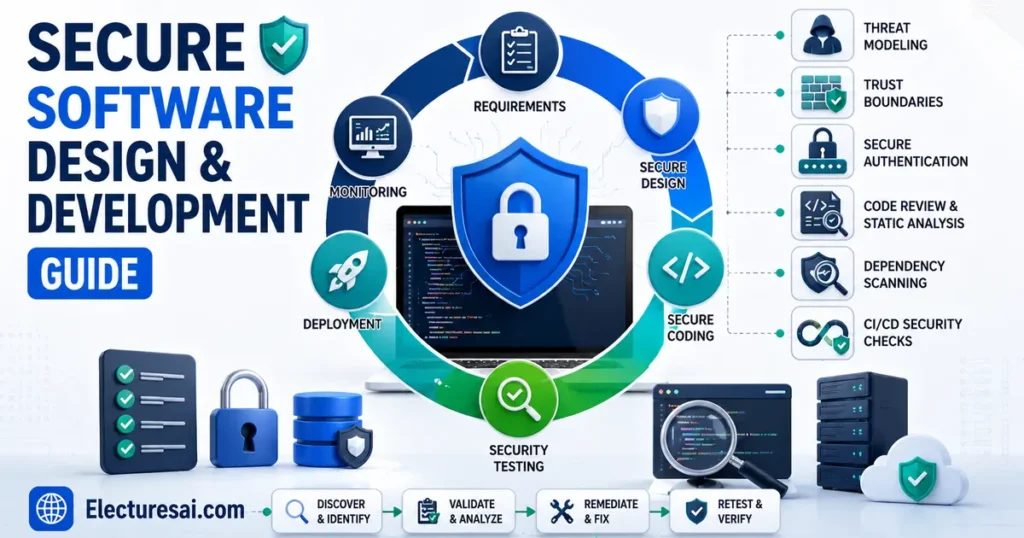
Secure Software Design & Development is an important subject for students of Software Engineering, Computer Science, Cybersecurity, Information Technology, and related university programs. It explains how security can be included throughout the software lifecycle instead of being added only after an application has been completed.
Students sometimes treat software security as a separate testing activity performed near the release date. That approach is risky and expensive. A design flaw discovered before coding may take only a short discussion to correct, while the same flaw discovered after deployment may require code changes, database migration, emergency updates, customer communication, and incident investigation.
Consider a university portal that stores student records and examination results. The portal must authenticate users, restrict access according to roles, validate submitted data, protect sessions, record important actions, handle errors safely, and remain available during registration. Security must therefore influence requirements, architecture, coding, testing, deployment, and maintenance.
This guide explains secure software principles, Secure SDLC phases, threat modeling, access control, input validation, cryptography, security testing, DevSecOps, supply-chain protection, deployment, and vulnerability management. It is designed for semester exams, assignments, MCQs, case studies, and descriptive questions.
Table of Contents
- What Is Secure Software Design & Development?
- Software Security Goals
- Secure Software Development Lifecycle
- Security Requirements
- Threat Modeling
- Secure Design Principles
- Identity, Authentication, and Authorization
- Secure Coding Practices
- Data Protection and Cryptography
- Logging and Error Handling
- Dependency and Supply-Chain Security
- Security Testing Methods
- DevSecOps and Secure CI/CD
- Secure Deployment and Maintenance
- Important Exam Topics
- How to Study Effectively
- Common Student Mistakes
- Expert Tips
- Practice MCQs
- Frequently Asked Questions
- Conclusion
What Is Secure Software Design & Development?
Secure Software Design & Development is the process of building software that protects information and services against unauthorized access, misuse, alteration, disclosure, and disruption throughout its lifecycle.
Security is considered during planning, requirements analysis, architecture, design, implementation, testing, deployment, operation, and retirement.
Secure software should:
- Protect confidential information
- Preserve data accuracy and integrity
- Remain available to authorized users
- Authenticate users and systems reliably
- Enforce correct permissions
- Handle invalid input safely
- Record security-relevant events
- Recover from faults and incidents
- Support secure updates
- Minimize unnecessary functionality and exposure
Software Safety Versus Software Security
Software safety focuses on preventing accidental harm caused by faults or incorrect operation. Software security focuses on preventing deliberate or unauthorized actions as well as protecting against misuse.
The areas may overlap. An insecure medical or industrial application can create both security and safety consequences.
Why Is Early Security Important?
Security decisions made during requirements and architecture influence the complete application. If an application is designed without proper authorization boundaries, adding a login screen later will not correct the deeper problem.
Early security reduces:
- Expensive redesign
- Emergency patching
- Data breaches
- Compliance failures
- Service interruption
- Customer distrust
- Long-term maintenance cost
Software Security Goals
Confidentiality
Confidentiality ensures that sensitive information is accessible only to authorized users, processes, and systems.
It may be supported through access controls, encryption, secure communication, data classification, and limited logging of sensitive information.
Integrity
Integrity ensures that data and software remain accurate, complete, and protected against unauthorized modification.
Integrity controls include digital signatures, hashes, database constraints, audit logs, version control, and controlled deployment processes.
Availability
Availability ensures that authorized users can access the application and its information when required.
Availability may depend on fault tolerance, backups, rate limiting, monitoring, capacity planning, redundancy, and recovery procedures.
Authenticity
Authenticity confirms that a user, service, message, or software component is genuine.
Accountability
Accountability means that important actions can be traced to the responsible user or system. Unique accounts and protected audit logs support this goal.
Privacy
Privacy concerns the lawful and responsible collection, use, sharing, retention, and disposal of personal information.
Secure Software Development Lifecycle
A Secure Software Development Lifecycle, or Secure SDLC, integrates security activities into every software-development phase.
1. Planning and Preparation
The organization identifies business objectives, security responsibilities, applicable policies, legal requirements, data sensitivity, and acceptable risk.
Planning should also define:
- Security roles
- Required training
- Approved tools
- Review processes
- Release criteria
- Incident contacts
2. Security Requirements
Security requirements describe the protections the application must provide.
Examples include:
- Only lecturers may modify examination marks.
- Passwords must be stored using an approved password-hashing method.
- Sensitive communication must be encrypted.
- Administrative actions must be logged.
- User sessions must expire after defined inactivity.
- Personal information must be retained only as required.
3. Architecture and Design
During design, developers define trust boundaries, data flows, components, interfaces, authentication, authorization, encryption, logging, error handling, and recovery.
This phase is suitable for threat modeling and design review because architectural problems are easier to correct before implementation.
4. Secure Implementation
Developers follow secure coding standards, validate input, protect secrets, use safe libraries, handle errors carefully, and review code changes.
5. Verification and Testing
Testing determines whether security requirements and controls operate correctly.
Activities may include code analysis, dependency scanning, dynamic testing, fuzzing, manual review, and authorized penetration testing.
6. Secure Release and Deployment
The application is deployed using approved configurations, protected credentials, verified packages, limited privileges, secure network settings, and monitored release procedures.
7. Operation and Maintenance
After deployment, teams monitor logs, investigate incidents, update dependencies, correct vulnerabilities, rotate secrets, test backups, and maintain secure configurations.
8. Retirement
When software is retired, access should be removed, sensitive information should be archived or destroyed appropriately, and unsupported components should no longer remain exposed.
Text-described lifecycle:
Plan → Define Security Requirements → Design → Implement → Test → Deploy → Monitor and Maintain → Retire
Security Requirements
Functional Security Requirements
Functional requirements describe security features that the software must perform.
Examples include authentication, role-based authorization, audit logging, password reset, account lockout, and encryption.
Non-Functional Security Requirements
Non-functional requirements describe qualities or constraints.
Examples include:
- Security logs must be retained for a defined period.
- The application must recover within an approved time.
- Secrets must not appear in source-code repositories.
- Sensitive data must not be included in error messages.
Misuse and Abuse Cases
A use case describes how a legitimate user achieves a goal. A misuse or abuse case describes how the system might be misused or attacked.
For example:
Normal use case: A student views personal results.
Abuse case: A student attempts to view or modify another student’s results.
Thinking about abuse cases helps teams define security requirements that ordinary use cases may miss.
Threat Modeling
Threat modeling is a structured process for identifying possible threats before or during development.
Threat-Modeling Process
- Define the system and its objectives.
- Identify valuable assets.
- Create a data-flow or architecture diagram.
- Mark trust boundaries.
- Identify threats and abuse cases.
- Estimate risk.
- Select mitigations.
- Review the model when the design changes.
Assets
Assets may include personal data, payment information, authentication tokens, business rules, intellectual property, and administrative functions.
Trust Boundaries
A trust boundary is a location where data or control moves between components with different trust levels.
Examples include:
- User browser to web server
- Web application to database
- Internal service to third-party service
- Public network to private network
- Normal user area to administrator area
STRIDE Categories
STRIDE is a commonly taught threat-classification model:
- Spoofing: Pretending to be another identity
- Tampering: Unauthorized modification
- Repudiation: Denying an action without adequate evidence
- Information disclosure: Unauthorized exposure of data
- Denial of service: Preventing legitimate access
- Elevation of privilege: Gaining permissions beyond authorization
Threat modeling should not be completed once and forgotten. It should be updated when new components, integrations, or data flows are introduced.
Secure Design Principles
Least Privilege
Users, services, and applications should receive only the permissions required for their tasks.
Defense in Depth
Several layers of protection should work together. Authentication, authorization, input validation, network controls, monitoring, and backups provide stronger protection than one control alone.
Secure by Default
The default configuration should be safe. Optional services, test accounts, debugging interfaces, and unnecessary permissions should remain disabled unless explicitly required.
Fail Securely
When an error occurs, the system should move to a safe state.
For example, an authorization service failure should not automatically grant unrestricted access.
Minimize Attack Surface
Unnecessary interfaces, services, features, accounts, and dependencies should be removed or disabled.
Complete Mediation
Authorization should be checked whenever protected access is requested rather than only during the first interaction.
Separation of Duties
Critical operations may require more than one person or role. One user might create a payment request while another approves it.
Do Not Depend on Secrecy of Design
A system should remain secure even when its general design is known. Security should depend on protected keys and correctly implemented controls rather than hidden algorithms.
Keep the Design Simple
Complex designs are harder to review, test, and maintain. Simpler components and clear interfaces reduce the chance of security errors.
Identity, Authentication, and Authorization
Identification
Identification occurs when a user claims an identity, usually through a username or account identifier.
Authentication
Authentication verifies the claimed identity using passwords, tokens, certificates, biometrics, or multiple factors.
Authorization
Authorization determines what an authenticated user is allowed to access or perform.
Authentication without correct authorization can still leave an application insecure.
Role-Based Access Control
Role-Based Access Control assigns permissions to roles such as student, lecturer, finance officer, and administrator.
Session Management
After successful authentication, web applications commonly create sessions.
Secure session management should include:
- Unpredictable session identifiers
- Secure cookie attributes
- Session expiration
- Session invalidation after logout
- New session identifiers after authentication
- Protection against unauthorized reuse
Password Protection
Passwords should not be stored as readable plaintext. They should be protected using a suitable slow password-hashing method with unique salts.
Applications should support strong passwords, secure recovery, rate limiting, and multi-factor authentication where appropriate.
Secure Coding Practices
Input Validation
Input validation checks whether received data matches the expected type, format, length, range, and business rules.
Validation should generally occur on the trusted server side even when client-side checks improve usability.
Allowlisting
Allowlisting accepts only values known to be valid. It is usually safer than attempting to block every possible malicious value.
Parameterized Queries
Parameterized queries keep commands separate from untrusted data and help prevent SQL injection.
Constructing database commands by directly combining user input with query text is unsafe.
Output Encoding
Output encoding converts untrusted data into a safe form for the destination context.
HTML, JavaScript, URLs, and database queries have different contexts and therefore require suitable handling.
File Upload Security
Applications accepting file uploads should validate file type, size, content, name, storage location, and user authorization.
Uploaded files should not automatically receive executable permissions or be stored in an unsafe public location.
Memory Safety
Developers using low-level languages must manage buffers, pointers, object lifetimes, and memory allocation carefully.
Unsafe memory handling can lead to crashes, corruption, or unauthorized code execution.
Race Conditions
A race condition occurs when security depends on the timing or order of operations performed concurrently.
Shared resources and financial operations require atomic transactions, synchronization, or appropriate locking.
Data Protection and Cryptography
Data at Rest
Stored databases, files, backups, and devices may require encryption and access restrictions.
Data in Transit
Communication between clients, servers, services, and databases should use authenticated encryption when sensitive information is transmitted.
Data in Use
Applications must limit who can access data while it is being processed. Encryption does not replace authorization.
Key Management
Cryptographic security depends on correct key generation, storage, distribution, rotation, revocation, backup, and destruction.
Secrets Management
Passwords, API keys, tokens, and private keys should not be stored directly in source code or public repositories.
Approved secrets-management systems can provide controlled access, auditing, and rotation.
Password Hashing
Password hashing differs from ordinary fast file hashing. Password-protection functions are intentionally expensive to slow repeated guessing attempts.
Avoid Custom Cryptography
Developers should use reviewed algorithms and well-maintained cryptographic libraries. Designing a new encryption method without specialist review creates serious risk.
Logging and Error Handling
Security Logging
Applications should log events useful for monitoring and investigation.
Examples include:
- Successful and failed authentication
- Administrative changes
- Authorization failures
- Password resets
- Security configuration changes
- Suspicious input
- Important data modifications
Protecting Logs
Logs should be protected against unauthorized reading, alteration, and deletion. Time synchronization helps investigators compare events across systems.
Avoid Logging Sensitive Data
Passwords, private keys, full authentication tokens, and unnecessary personal information should not appear in logs.
Safe Error Messages
User-facing errors should provide useful guidance without exposing stack traces, database commands, internal paths, credentials, or detailed system information.
Detailed diagnostic information may be recorded securely for authorized support teams.
Dependency and Software Supply-Chain Security
Modern applications depend on frameworks, packages, containers, build tools, and third-party services. A weakness in one dependency can affect many applications.
Dependency Inventory
Teams should know which third-party components and versions are used.
Software Bill of Materials
A Software Bill of Materials provides an inventory of software components included in a product.
Dependency Updates
Libraries should be monitored and updated when security fixes become available. Updates must also be tested for compatibility.
Package Integrity
Build systems should obtain packages from approved sources and verify their integrity or signatures when supported.
Build Pipeline Protection
Access to source repositories, build servers, deployment credentials, and release artifacts should be restricted and monitored.
Reproducible and Traceable Releases
Organizations should be able to determine which source-code version, dependencies, configuration, and build process produced a released artifact.
Security Testing Methods
Code Review
Manual code review examines program logic, data flow, authorization, error handling, cryptography, and dangerous coding patterns.
Static Application Security Testing
Static Application Security Testing, or SAST, analyzes source code or compiled representations without running the application.
It can identify insecure patterns early, but findings require review because tools may produce false positives.
Dynamic Application Security Testing
Dynamic Application Security Testing, or DAST, examines a running application from the outside.
It can detect observable runtime weaknesses but may not reveal the exact vulnerable source-code location.
Interactive Application Security Testing
Interactive testing combines runtime observation with internal application information during testing.
Fuzz Testing
Fuzzing sends unusual, unexpected, malformed, or random inputs to identify crashes and incorrect behavior.
Dependency Scanning
Dependency scanning compares third-party component versions with known security advisories.
Penetration Testing
Authorized penetration testing uses controlled techniques to evaluate selected attack paths and demonstrate practical impact.
It complements but does not replace secure design, code review, or automated analysis.
Security Regression Testing
After a vulnerability is corrected, a regression test can confirm that future changes do not reintroduce the same weakness.
DevSecOps and Secure CI/CD
DevSecOps integrates security into development and operational workflows instead of treating it as a final gate.
Security Automation
CI/CD pipelines may perform:
- Code-quality checks
- SAST
- Dependency scanning
- Secrets detection
- Container-image scanning
- Automated security tests
- Artifact signing
- Deployment-policy checks
Security Gates
A security gate can block a release when defined critical requirements are not satisfied.
Gates should be risk-based and carefully configured so that teams do not ignore them because of excessive low-quality alerts.
Infrastructure as Code
Infrastructure as Code allows deployment configurations to be version-controlled, reviewed, tested, and reproduced.
Separation of Environments
Development, testing, staging, and production environments should be separated. Production data and credentials should not be copied casually into development systems.
Secure Deployment and Maintenance
Secure Configuration
Production systems should disable default accounts, sample applications, unused services, debugging modes, directory listing, and unnecessary ports.
Environment-Specific Secrets
Development, testing, and production should use separate credentials. Production secrets should be restricted to authorized services and personnel.
Monitoring
Teams should monitor application health, authentication behavior, unusual requests, authorization failures, dependency changes, and security alerts.
Vulnerability Management
Reported weaknesses should be recorded, prioritized, assigned, corrected, verified, and tracked to closure.
Patch and Update Process
Applications require a reliable process for testing and deploying security updates without creating unacceptable operational risk.
Incident Response
Teams should know how to contain affected components, protect evidence, correct the cause, recover services, communicate with stakeholders, and learn from the incident.
Important Topics for Exam Preparation
- Definition of secure software development
- Security versus safety
- Confidentiality, integrity, and availability
- Secure SDLC phases
- Functional and non-functional security requirements
- Misuse and abuse cases
- Threat modeling and trust boundaries
- STRIDE threat categories
- Least privilege and defense in depth
- Secure defaults and fail-secure behavior
- Attack-surface reduction
- Authentication, authorization, and session management
- Input validation and output encoding
- Parameterized queries
- File-upload protection
- Cryptography, key management, and secrets management
- Secure error handling and logging
- Software supply-chain security
- SAST, DAST, IAST, and fuzzing
- DevSecOps and secure CI/CD
- Secure deployment and configuration
- Vulnerability management and incident response
Step-by-Step: How to Study Secure Software Development Effectively
Step 1: Learn the Secure SDLC Sequence
Write the lifecycle from planning through retirement and add one security activity to every phase.
Step 2: Connect Threats With Controls
For each threat, identify the affected asset and the control that reduces the risk.
Step 3: Draw a Data-Flow Diagram
Use a simple login application and mark the user, browser, web server, database, external services, data flows, and trust boundaries.
Step 4: Create a Secure Design Principles Table
Write each principle, its meaning, and one practical example.
Step 5: Compare Similar Terms
Prepare comparisons for authentication versus authorization, validation versus encoding, SAST versus DAST, hashing versus encryption, and vulnerability assessment versus penetration testing.
Step 6: Study Common Coding Scenarios
Practice identifying insecure database queries, weak access control, unsafe error messages, hard-coded secrets, and unvalidated file uploads.
Step 7: Follow One Vulnerability Through the Lifecycle
Ask how the weakness could have been prevented in requirements, detected during design, corrected in coding, tested before release, and monitored after deployment.
Step 8: Attempt Timed MCQs
Complete topic-based quizzes first and then attempt a mixed Secure Software Design & Development test under exam conditions.
Common Mistakes Students Make
Treating Security as the Final Testing Phase
Security must be included from requirements through maintenance. Final testing alone cannot reliably correct architectural weaknesses.
Confusing Authentication and Authorization
Authentication verifies identity. Authorization determines permitted actions.
Relying Only on Client-Side Validation
Client-side validation improves usability but can be bypassed. Trusted server-side validation is still required.
Confusing Validation With Output Encoding
Validation checks whether input is acceptable. Encoding prepares output safely for a particular destination context.
Assuming Encryption Solves Every Security Problem
Encryption protects data confidentiality but does not replace access control, secure code, logging, patching, or monitoring.
Hard-Coding Secrets
Credentials and keys stored in source code may be exposed through repositories, backups, logs, or compiled applications.
Trusting Every Third-Party Package
Dependencies require inventory, review, update monitoring, and integrity verification.
Ignoring Error Handling
Detailed errors can expose internal information, while silent failures may hide security incidents. Applications require safe user messages and protected technical logs.
Expert Tips for Scoring High
- Begin long answers with a clear definition.
- Write Secure SDLC phases in the correct order.
- Use a practical example for every design principle.
- Draw trust boundaries in threat-modeling answers.
- Explain both prevention and detection controls.
- Compare SAST and DAST in a short table.
- Mention secure defaults and least privilege in architecture questions.
- Connect coding flaws with their secure alternatives.
- Include deployment and maintenance in lifecycle answers.
- Use realistic case studies instead of memorizing definitions only.
Practice MCQs
MCQ 1
At which stage should software security first be considered?
A. After a public breach
B. During planning and requirements
C. Only after deployment
D. Only during user training
Correct Answer: B. During planning and requirements
Explanation: Security should begin during planning and requirements and continue throughout the lifecycle. Waiting until deployment makes architectural problems more difficult and expensive to correct.
MCQ 2
Which principle gives a service only the permissions required for its task?
A. Least privilege
B. Open access
C. Security through obscurity
D. Maximum functionality
Correct Answer: A. Least privilege
Explanation: Least privilege limits the damage caused by mistakes or compromised components. Open access and excessive permissions increase risk.
MCQ 3
Which technique helps prevent SQL injection?
A. Parameterized queries
B. Longer error messages
C. Public database credentials
D. Disabling audit logs
Correct Answer: A. Parameterized queries
Explanation: Parameterized queries separate database commands from untrusted data. Directly combining user input with query text can allow injection.
MCQ 4
Which testing method examines source code without running the application?
A. SAST
B. DAST
C. Load balancing
D. Runtime monitoring only
Correct Answer: A. SAST
Explanation: SAST analyzes source code or compiled representations without executing the application. DAST evaluates a running application externally.
MCQ 5
What is the purpose of threat modeling?
A. To identify threats and select mitigations before release
B. To replace all security testing
C. To store production passwords
D. To increase application complexity
Correct Answer: A. To identify threats and select mitigations before release
Explanation: Threat modeling examines assets, data flows, trust boundaries, and abuse cases. It supports secure design but does not replace testing and monitoring.
Frequently Asked Questions
What is Secure Software Design & Development in simple words?
It is the process of building security into software from planning through retirement. The goal is to prevent weaknesses, protect data, enforce correct access, and support safe operation and updates.
What is the difference between a normal SDLC and a Secure SDLC?
A normal SDLC focuses on planning, building, testing, and maintaining software. A Secure SDLC adds security requirements, threat modeling, secure coding, security testing, deployment controls, and vulnerability management throughout those phases.
Why is threat modeling important?
Threat modeling helps teams identify possible attacks and design weaknesses before implementation becomes expensive. It also connects threats with specific assets, trust boundaries, and mitigations.
What is the difference between authentication and authorization?
Authentication verifies the identity of a user or service. Authorization determines what that verified identity is allowed to access or perform.
What is the difference between SAST and DAST?
SAST examines code without running the application and can identify the location of insecure patterns. DAST tests a running application and identifies weaknesses visible through its external behavior.
Why should secrets not be stored in source code?
Source code may be shared, copied, backed up, or exposed through repositories. Secrets should be stored in an approved secrets-management system with restricted access, auditing, and rotation.
What is DevSecOps?
DevSecOps integrates security into development and operations workflows. It uses collaboration, automation, continuous testing, secure pipelines, and monitoring to identify problems earlier.
How should I prepare Secure Software Design & Development MCQs?
Revise Secure SDLC phases, threat modeling, design principles, access control, coding practices, security testing, DevSecOps, and deployment. Practice scenario-based questions and review why each incorrect option is unsuitable.
Conclusion
Secure Software Design & Development treats security as a continuous engineering responsibility. It begins with planning and security requirements, continues through architecture, coding, testing, and deployment, and remains important during operation and retirement.
The subject becomes easier when you connect each security activity with an SDLC phase. Threat modeling improves design, secure coding prevents implementation flaws, security testing verifies controls, and monitoring protects the application after release.
Prepare lifecycle diagrams, principle comparisons, threat scenarios, and secure-coding examples. Combine these notes with regular MCQ practice to strengthen your understanding and semester-exam performance.
Ready to Test Your Knowledge?
Practice Secure Software Design & Development MCQs with answers, explanations, and exam-focused questions on TestInFlow.
Practice Secure Software Design & Development MCQs →
Want to Explore More Topics?
Explore more university lecture notes, study guides, and Computer Science resources on eLecturesAI.