SQL*Plus Explained: The DBA’s Command-Line Tool
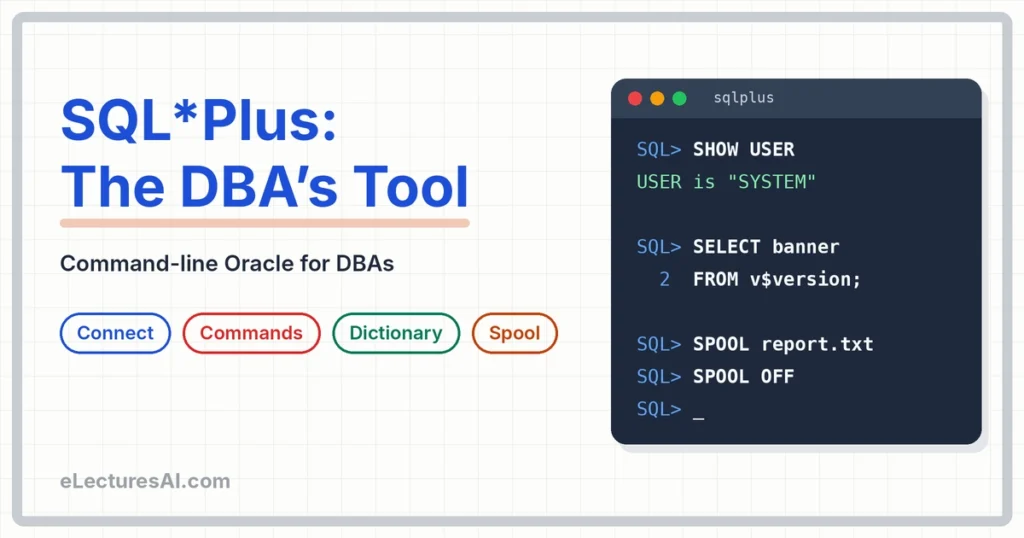
Part of the free Database Administration course on eLecturesAI. Lecture 3 of 16. Previous: DBMS Architecture and Data Independence Explained (Three-Level Architecture). Next: DML and Transaction Control.
Picture a database server in a locked room at the back of a bank. No desktop, no icons, nobody has ever plugged in a mouse. You connect from your laptop and all you get is a black window with a blinking cursor.
That is an ordinary Tuesday for a DBA. And the tool that lives inside that black window is SQL*Plus.
By the end of this article you will know:
- what SQL*Plus is and why DBAs still use it every day,
- how to connect to the database and check who you are,
- the handy commands that save you from retyping (
L,/andED), - how to ask the database about itself using the data dictionary,
- how to save your output to a file with
SPOOL.
If you have an Oracle database installed (Oracle XE is free), open SQL*Plus next to this article and type along. Nothing sticks like typing it yourself.
What is SQL*Plus?
SQL*Plus is Oracle’s command-line tool for sending commands to the database. You type a command, press Enter, and the database answers in the same window.
Because it runs in a plain text window, it works even on a server that has no graphical screen. That matters more than it sounds. Many real servers are installed without a desktop, to keep them lean and safer, so a text window is all a DBA gets.
Think of a mechanic’s basic spanner. It is not fancy, but it fits almost every bolt and it is always in the toolbox. SQL*Plus is that spanner.
| Strength | Why a DBA likes it |
|---|---|
| Runs anywhere | Needs only a text window |
| Scriptable | Same commands, every time |
| Always installed | Comes with Oracle |
Good to know: Old Oracle versions had a web version called iSQL*Plus. It was removed in Oracle 11g, so the command-line SQL*Plus is the one to learn.
You may also have seen SQL Developer, Oracle’s graphical tool. It is great for browsing and writing queries. But when you are on a server with no screen, or you want to run the same steps again and again from a script, SQL*Plus is what you reach for.
Connecting to the database
From the command prompt, the pattern is simple:
sqlplus user@serviceHere is a real example from an Oracle XE lab machine:
sqlplus system@localhost/XEPDB1Read it from left to right. system is the user, localhost is the machine where the database is running, and XEPDB1 is the service name of the database. If your lab uses a different service name, put yours there.
After you press Enter, SQL*Plus asks for the password. Nothing appears on the screen while you type it. That is normal, not a bug.
Once you are inside, the prompt changes to SQL>. The first command to learn is the one that tells you who you are:
SQL> SHOW USER
USER is "SYSTEM"
Already inside and want to become a different user? Use CONNECT:
SQL> CONNECT username@service
Enter password:
Connected.
Two habits worth building from day one:
- Do not type the password on the command line.
sqlplus user/password@serviceworks, but the password is visible on screen and can stay in your command history. Let SQL*Plus ask for it. - Do not work as an administrator when a normal user is enough. A typing mistake as SYSTEM can do far more damage than the same mistake as a normal user. Use the powerful account only for jobs that need it.
SQL commands vs SQL*Plus commands
This is a small idea that clears up a lot of confusion, so let’s name it clearly.
Everything you type at the SQL> prompt is one of two kinds:
| SQL commands | SQL*Plus commands | |
|---|---|---|
| Examples | SELECT, INSERT, CREATE TABLE | SHOW USER, SET PAGESIZE, SPOOL, CONNECT, L, ED |
| Who handles it | Sent to the database | Handled by the SQL*Plus tool itself |
| Ends with | A semicolon ; | Nothing needed |
| Kept in the buffer | Yes | No |
The last row is the reason L, / and ED exist, which brings us to the next section.
Handy SQL*Plus commands
SQL*Plus keeps your last SQL command in memory. This place is called the buffer. A few short commands work on it:
| Command | What it does |
|---|---|
L | Show the last SQL command (LIST) |
/ | Run the last SQL command again |
ED | Edit the last command in a text editor |
SET PAGESIZE 50 | Number of lines shown before the column heading repeats |
CLEAR SCREEN | Clear the window |
Let’s see them work together. Say you type a long query and make a small typing mistake:
SQL> SELECT usrname FROM all_users;
SELECT usrname FROM all_users
       *
ERROR at line 1:
ORA-00904: "USRNAME": invalid identifier
Oracle even points at the problem with that little *. Now, instead of retyping, do this:
SQL> L
  1* SELECT usrname FROM all_users
SQL> ED
ED opens the command in a text editor (Notepad on Windows, usually vi on Linux). Fix usrname to username, save the file and close the editor. Back at the prompt, run the corrected command with a single slash:
SQL> /That is the whole loop: L to look, ED to fix, / to run again. On a three-word query it saves you nothing. On a 20-line query it saves you your afternoon.
From our class: I wrote a six-line query on the board with one wrong letter in the last line:
createddinstead ofcreated. Then I asked the class, “How would you fix this?” Most of us would simply start typing all six lines again. That is exactly the habit a DBA avoids. With SQL*Plus you useLto look at the command,EDto change that one word, and/to run it again. Same fix, a few seconds instead of a few minutes. The difference is small with six lines. Imagine it with sixty.
One more useful setting: SET PAGESIZE 50. By default SQL*Plus repeats the column headings every 14 lines, which makes long reports messy. Raising the page size keeps them clean. If your lines wrap onto the next row, SET LINESIZE 120 helps too.
Ask the database about itself
Here is something that surprises beginners. The database can tell you about itself.
Oracle keeps built-in tables and views that describe the database: who the users are, which tables exist, what the settings are. Together they are called the data dictionary. A DBA reads them all the time.
Think of the notice board in a building’s lobby. It lists the residents, the rules and the repairs. You read it, but you do not scribble on it. The data dictionary is the same: read-only. You query it with SELECT, and Oracle keeps it up to date by itself.
Three queries worth knowing:
SELECT banner FROM v$version;
-- Oracle version

SELECT username FROM all_users;
-- users in the database

SELECT table_name FROM user_tables;
-- tables owned by me
The first one prints a line like “Oracle Database … Release … Production”. The exact text depends on the version you installed. If user_tables says no rows selected, nothing is wrong. It only means you do not own any tables yet.
Notice the prefixes, because Oracle uses them as a naming system:
USER_views show what you own,ALL_views show what you are allowed to see,DBA_views show everything, but you need DBA privileges to read them,V$views show live information about the running database, like its version.
Here is a tip that makes SQL*Plus output readable. User names can be long, so the column often looks very wide. Set the column width once:
SQL> COLUMN username FORMAT A30
SQL> SELECT username FROM all_users;

USERNAME
------------------------------
SYS
SYSTEM
...
Save output with SPOOL
A DBA often needs proof of what they did, or a report to hand over. SPOOL copies everything shown on the screen into a file.
- Start:
SPOOL file - Stop:
SPOOL OFF
Here is a complete little report:
SET PAGESIZE 50
SET LINESIZE 100
COLUMN username FORMAT A30
SPOOL C:\labs\users_report.txt
SELECT username FROM all_users;
SPOOL OFF
A few things that save you from frustration:
- The folder (
C:\labshere) must already exist, or SPOOL gives an error. - If you do not give a file extension, Oracle adds
.lstby itself. - Always run
SPOOL OFF. Until you do, the file stays open and may be incomplete.
Because SPOOL records the commands you typed as well as the results, it doubles as a diary of your session. Many DBAs spool every maintenance job for exactly that reason.
Common mistakes students make
- Forgetting the semicolon on a SQL command. The prompt shows
2and waits quietly. Type;and press Enter, and the command runs. - Working as SYSTEM for everything. Use a normal user whenever a normal user can do the job.
- Forgetting
SPOOL OFF. The file looks empty or half-written, and students think the query failed. - Trying to change the data dictionary. It is read-only. Use it to look, never to edit.
- Retyping long commands.
L,EDand/exist so you do not have to. - Typing the password on the command line. Let SQL*Plus ask for it.
From our class: I wrote
SELECT username FROM all_userson the board, without the semicolon, and asked the class, “Will SQL*Plus run this now?” The answers were split. The correct answer is no. Without the semicolon, SQL*Plus thinks you are not finished. It shows a2as the prompt and waits quietly, which can look as if the system has frozen. Type;and press Enter, and the command runs. A tiny symbol, a big difference.
Summary
- SQL*Plus is the DBA’s basic tool: simple, scriptable, available everywhere.
- Connect with
sqlplus user@service, and useSHOW USERto check who you are. L,/andEDsave typing, andSPOOLsaves output to a file.- The data dictionary lets the DBA ask the database about itself, and it is read-only.
- SQL commands go to the database and end with
;. SQL*Plus commands are handled by the tool itself.
Quick check
Try answering these before you scroll down:
- Why do DBAs like SQL*Plus?
- What does
/do? - What does
SPOOLdo?
Ready to test yourself?
Reading is only half of learning. Now check what you actually remember.
Take the quiz: SQL*Plus MCQs with Answers →
If you get a question wrong, come back to the matching section above. Use the headings as your revision map.
Frequently asked questions
Is SQL*Plus a database? No. It is a client tool. It sends your commands to the database and shows the answers, the way a browser talks to a website.
Do I need to install SQL*Plus separately? It comes with Oracle Database. If you only have a client machine, Oracle also offers it as a separate Instant Client package.
What happened to iSQL*Plus? It was the web version in older Oracle releases and was removed in Oracle 11g. Today you use command-line SQL*Plus, or SQL Developer if you prefer a graphical tool.
Why learn SQL*Plus when SQL Developer exists? Servers often have no graphical screen, and scripts are easier to repeat from the command line. A DBA who can work in SQL*Plus can work anywhere.
Next lecture: DML and Transaction Control. Back to the Database Administration course overview.
Written by Engnr.Dr. Muhammad Tahir Dlbar