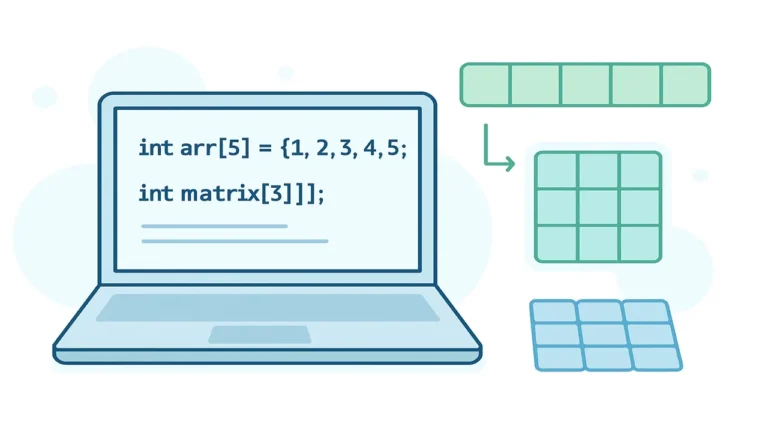
In this lecture we learn Array Operations Technique and Code in C++ like finding the maximum number, the second maximum number, and performing searches in an array. These operations form the bedrock of many algorithms and data-structure tasks. We will illustrate each with clear code snippets, discuss their time- and space-complexities, and show image prompts to support visual learning.
Finding the Maximum Number in an Array
Concept & explanation
When you have an array of n elements (unsorted), you often need to determine the largest (maximum) value. The simplest method is to iterate once through the array, keeping track of the largest seen so far.
Algorithm outline:
- Initialize a variable
maxValto the first element (or to a suitably small value). - Loop from the second element to the end: if the current element >
maxVal, updatemaxVal. - At the end the
maxValholds the largest value.
Time complexity: O(n) one pass through the array.
Space complexity: O(1) only one extra variable used.
Code snippet (C++)
#include <iostream>
using namespace std;

int main() {
    int arr[] = { 3, 57, 12, 98, 32 };
    int n    = sizeof(arr) / sizeof(arr[0]);
    int maxVal = arr[0];  // assume at least one element

    for (int i = 1; i < n; i++) {
        if (arr[i] > maxVal) {
            maxVal = arr[i];
        }
    }

    cout << "The largest element in the array is " << maxVal << endl;
    return 0;
}
Key points/tips
- Make sure the array is non-empty; otherwise you may start with an invalid initial value.
- If you allow negative numbers, initializing to a very small value (e.g.,
INT_MIN) is safer if you don’t takearr[0]. - This method works for unsorted arrays; no sorting is needed.

If you are a beginner in C++, you may face some difficulties in arrays declaration and initialization, here is a step by step easy guide on Declaration and initialization in array in C.
Finding the Second Maximum Number in an Array
Concept & explanation
Finding the largest value is straightforward, but often you also need the second largest (the “runner-up”) value. This is slightly trickier if you want to account for duplicates (e.g., the largest value appears more than once). The goal: find the largest distinct element and then the next largest distinct element.
Popular approaches:
- Single-pass method: use two variables
firstMaxandsecondMax; traverse once. - Sorting method: sort the array and then pick the largest and then the next distinct value.
Single-pass algorithm outline:
- Initialize
firstMax = INT_MIN,secondMax = INT_MIN. - For each element
xin the array:- If
x > firstMax, thensecondMax = firstMax,firstMax = x. - Else if
x < firstMaxandx > secondMax, thensecondMax = x.
- If
- At end:
firstMaxis max,secondMaxis second max (or some sentinel if none).
Time complexity: O(n)
Space complexity: O(1)
Code snippet (C++)
#include <iostream>
#include <climits>
using namespace std;

int main() {
    int arr[] = { 34, 5, 16, 14, 56, 7, 56 };
    int n     = sizeof(arr) / sizeof(arr[0]);

    int firstMax  = INT_MIN;
    int secondMax = INT_MIN;

    for (int i = 0; i < n; i++) {
        if (arr[i] > firstMax) {
            secondMax = firstMax;
            firstMax  = arr[i];
        }
        else if (arr[i] < firstMax && arr[i] > secondMax) {
            secondMax = arr[i];
        }
    }

    cout << "Maximum element is: " << firstMax << endl;
    if (secondMax == INT_MIN) {
        cout << "Second Maximum element does not exist" << endl;
    } else {
        cout << "Second Maximum element is: " << secondMax << endl;
    }

    return 0;
}
Edge-cases & tips
- If all elements are equal, there is no distinct second maximum (handle appropriately).
- If array length < 2, obviously second max cannot exist.
- If you use the sorting approach: be mindful of duplicates (skip equal-to-max values).
- Single-pass is more efficient (no sorting) and uses constant extra space.
Searching in an Array
Concept & explanation
Searching means determining whether a given target value exists or exceed in an array (and optionally returning its index). In unsorted arrays, the simplest method is linear (sequential) search: check each element one by one.
Algorithm outline (linear search):
- Given array
arr[], sizen, and a target valuex. - Loop
ifrom 0 ton-1: ifarr[i] == x, return the indexi. - If loop ends without match, return sentinel (e.g., -1) meaning “not found”.
Time complexity: O(n)
Space complexity: O(1)
Optionally, if the array is sorted, a binary search may be used (O(log n)). But in this lecture we focus on unsorted array, so linear search is appropriate.
Code snippet (C++)
#include <iostream>
using namespace std;

int linearSearch(int arr[], int n, int target) {
    for (int i = 0; i < n; i++) {
        if (arr[i] == target) {
            return i; // index found
        }
    }
    return -1; // not found
}

int main() {
    int arr[] = { 34, 78, 12, 56, 89, 23 };
    int n     = sizeof(arr) / sizeof(arr[0]);
    int target;
    cout << "Enter the number to search: ";
    cin  >> target;

    int result = linearSearch(arr, n, target);
    if (result != -1) {
        cout << "Element " << target << " found at index " << result << endl;
    } else {
        cout << "Element " << target << " not found in the array." << endl;
    }
    return 0;
}
Key points/tips
- For unsorted arrays, linear search is simple, though not optimal for very large data.
- For sorted arrays, if you need many searches, consider sorting once and applying binary search.
- Always check array bounds and ensure you handle “not found” correctly (e.g., return -1).
- If multiple occurrences exist, you might want to return all indices or count of occurrences.
People also ask:
Common array operations include insertion, deletion, traversal, searching, and sorting. Each operation can be implemented using loops and conditional statements.
You can loop through the array, compare elements, and keep track of the maximum value using a variable, e.g.
int max = arr[0];
for(int i = 1; i < n; i++) if(arr[i] > max) max = arr[i];
To insert, shift elements to the right from the insertion position and place the new value:
for(int i = n; i > pos; i–)
arr[i] = arr[i-1];
arr[pos] = value;
n++;