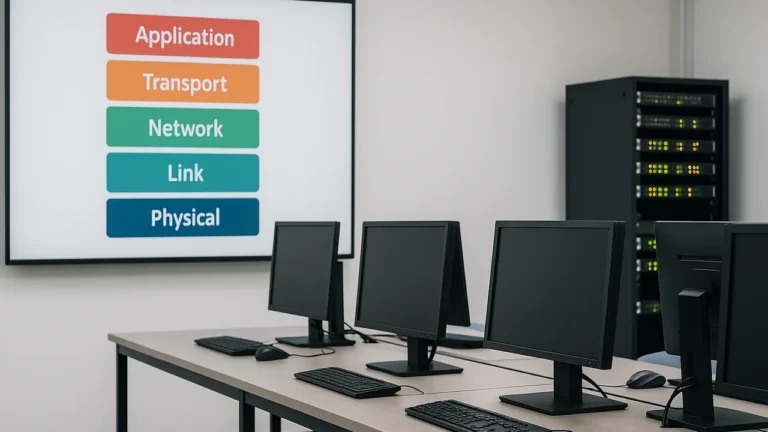
What is a Network?
A computer network is a collection of two or more devices (nodes) connected to share data, resources, and services. Links can be wired (Ethernet, fiber) or wireless (Wi-Fi, cellular). Networks enable file sharing, internet access, printing, VoIP, IoT telemetry, and distributed apps.
Key terms
- Node/Host: Any addressable device (PC, phone, printer, server, router, sensor).
- Medium: The physical or wireless path carrying signals.
- Bandwidth/Throughput: The theoretical/actual data rate a link can deliver.
- Latency/Jitter: Time delay and its variance crucial for voice/video.
Network Criteria
Design and evaluation revolve around four core criteria:
- Performance
- Throughput: bits per second (bps).
- Latency: propagation + processing + queuing + transmission delays.
- Efficiency: overhead vs payload; collision/ contention control.
- Scalability: ability to add users/traffic without major redesign.
- Reliability
- Redundancy (extra links/devices), fault tolerance, mean time between failures (MTBF), backup/restore, and disaster recovery plans.
- Security
- Confidentiality (encryption), integrity (hashing/MAC), availability (DDoS protection), authentication/authorization, network segmentation.
- Cost
- CapEx (cables, switches, routers) + OpEx (power, licenses, staff). Optimize with lifecycle planning and right-sizing links.
Types of Connection
1) Point-to-Point (P2P)
A dedicated link between exactly two nodes.
- Pros: Simple, high performance, low latency, strong security domain.
- Use cases: Backbone links, leased lines, device-to-device serial links.
- Cons: Scales poorly needs many links for many pairs.
2) Multipoint (Broadcast/Shared)
Multiple devices share the same link (e.g., classic bus Ethernet, Wi-Fi airtime).
- Pros: Fewer cables, easy to extend.
- Use cases: Wireless LANs, old bus topologies, shared media IoT.
- Cons: Contention/collisions, lower effective throughput per node, requires access control.
Physical Topologies
1) Mesh (full or partial)
Every node connected to many or all others.
- Pros: Highest redundancy and reliability; excellent for backbones/data centers.
- Cons: Expensive cabling and ports; complex.
2) Star
All nodes connect to a central device (switch/AP).
- Pros: Easy to manage; failure isolation; scalable with switches.
- Cons: Central device is a single point of failure (mitigate with stacks/HA).
3) Bus
All nodes share a single backbone cable.
- Pros: Minimal cabling; simple.
- Cons: Fault isolation is hard; collisions; legacy now.
4) Ring
Each node connects to two neighbors forming a circle.
- Pros: Predictable traffic path; some rings support dual-ring resilience.
- Cons: One break can disrupt (unless dual ring); slower convergence.
5) Hybrid
Mix of the above (e.g., star-of-stars with redundant inter-switch links).
- Pros: Tailored resilience and cost; common in modern campus designs.
- Cons: Requires careful planning (spanning-tree, link aggregation, routing).
Lecture-1: Computer Networks Basics Key Terms, Models & Use-Cases
Categories of Networks
LAN (Local Area Network)
- Scope: Single site (home, office, campus building).
- Media: Ethernet (1/2.5/5/10+ Gbps), Wi-Fi 5/6/7.
- Traits: High speed, low latency, private addressing, switching at Layer 2, routing at Layer 3 edge.
MAN (Metropolitan Area Network)
- Scope: City-wide inter-building connectivity.
- Media: Metro Ethernet, dark fiber, microwave.
- Traits: Aggregates multiple LANs; SLA-backed links; often provider-managed.
WAN (Wide Area Network)
- Scope: Country/continent-scale; connects branches/data centers/cloud.
- Media/Tech: MPLS, leased lines, IPSec VPN over internet, SD-WAN.
- Traits: Higher latency; QoS and path selection are critical.
Protocols and Standards (Who defines what?)
- OSI vs TCP/IP Models: Reference layers to structure functions (physical up to application). Real networks typically use the TCP/IP stack.
- IETF (RFCs): Internet protocols like IP, TCP, UDP, HTTP, DNS, BGP.
- IEEE 802: LAN/WLAN standards (802.3 Ethernet, 802.11 Wi-Fi, 802.1Q VLANs).
- ITU-T: Telecom standards (optical, DSL, carrier signaling).
- W3C/WHATWG: Web standards (HTML, CSS, JS APIs).
- Vendor/Industry Consortia: Wi-Fi Alliance, MEF, ONF, PCI-SIG interoperability certifications and best practices.
Protocol examples
- Ethernet (IEEE 802.3): Framing/MAC at Layer 2.
- IP (IETF): Addressing and routing at Layer 3 (IPv4/IPv6).
- TCP/UDP: Transport (reliable stream vs fast datagrams).
- DHCP/DNS/HTTP/HTTPS: Essential application-layer services for naming, addressing, and web.
Design Tips
- Choose star or hybrid topologies for most LANs; add redundant links between core/distribution switches.
- Use VLANs to segment traffic; apply ACLs and 802.1X for access security.
- For WANs, consider SD-WAN to bond ISP links, enforce QoS, and steer apps intelligently.
- Monitor latency, jitter, packet loss; size links by peak usage, not averages.
- Document IP plans, physical/logic diagrams, and change controls from day one.
The approach followed at E Lectures reflects both academic depth and easy-to-understand explanations.
Summary
You learned the definition of a network, the criteria that drive design, point-to-point vs multipoint connections, physical topologies, LAN/MAN/WAN categories, and the protocol/standards bodies that make the internet interoperable. With these foundations, you can read vendor diagrams, compare designs, and plan secure, scalable networks.
People also ask:
A star (switch-centric) topology is best: simple to manage, easy to expand, and isolates failures to individual links.
Use TCP for reliability (web, email, file transfer). Use UDP for latency-sensitive apps (voice, video, gaming) where occasional loss is acceptable.
Yes. A MAN spans a city and typically uses metro fiber/Ethernet to connect nearby sites. A WAN spans much larger regions and often uses carrier services like MPLS or internet VPNs.
They define open, vendor-neutral specifications so equipment from different vendors interoperate (e.g., IEEE 802.3 for Ethernet, IETF RFCs for IP/TCP/HTTP).
They’re mostly historical in LANs, but the concepts remain useful, and ring/mesh ideas live on in carrier networks and resilient backbone designs.
Measure throughput, latency, jitter, packet loss, and goodput (useful data rate). Watch for bottlenecks at WAN edges and wireless airtime.