What Does a Database Administrator (DBA) Do? Role, Duties and Types
Part of the free Database Administration course on eLecturesAI. Lecture 1 of 16. Next: DBMS Architecture and Data Independence.
It is 2 a.m. A hospital’s patient records system stops responding. The night nurses cannot open the medication lists. Somewhere in the city, a phone starts ringing.
That phone belongs to the database administrator, the DBA.
Most people never think about this job until something breaks. This article explains what a DBA actually does, why every organization with important data needs one, and how this course will turn you into one.
By the end you will know:
- the difference between using a database and administering it,
- what a DBA is responsible for,
- the main duties of a DBA, and which part of this course covers each one,
- the three types of DBA,
- what a normal working day looks like,
- the one golden rule every DBA follows.
Using a database vs administering it
Most students meet databases as users or developers. You write a query, you get rows back, you move on. A DBA looks at the same database from a completely different angle.
| User / Developer | DBA | |
|---|---|---|
| Main question | “What data do I need?” | “Is the database safe, fast and available?” |
| Works with | Tables and queries | Servers, storage, users, backups |
| Worries about | A wrong query result | A crash, data loss or a slow system |
A database stores data. Database administration keeps that database running and protected. This course is about the second one.
Think of an apartment building. The residents live in it and use it every day. The building manager looks after the electricity, the water, the security and the repairs. Nobody notices the manager on a good day. Everybody notices on a bad one. The DBA is the building manager of the database.
Who is a DBA?
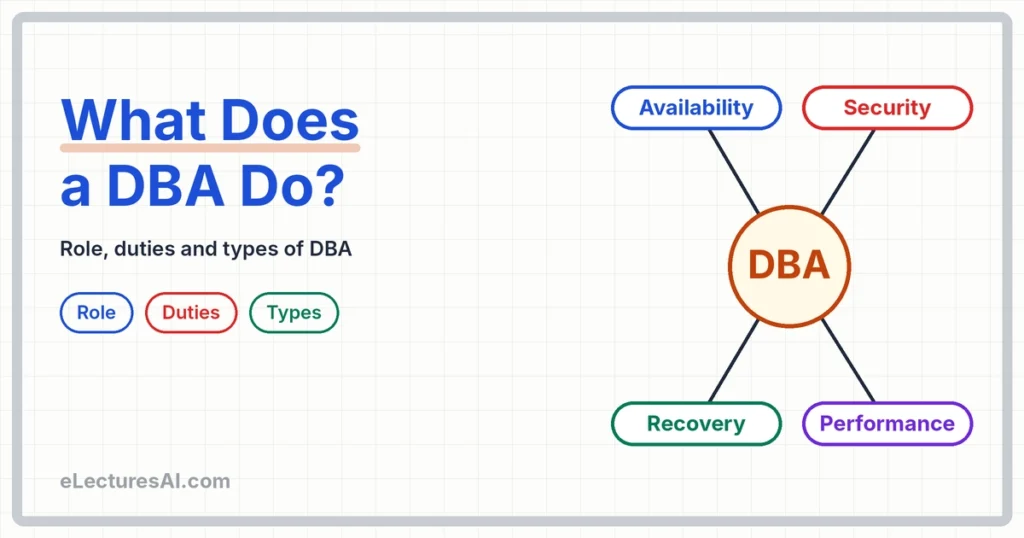
The Database Administrator (DBA) is the person responsible for four things:
- Availability: the database is up and reachable whenever people need it.
- Security: only the right people can see or change the right data.
- Performance: the system answers fast enough to be useful.
- Recovery: if something fails, the data can be brought back.
These four words will keep coming back for the whole semester, so it is worth remembering them as a set.
Why does this job matter so much? Because when the database stops, the whole organization stops. A bank cannot process payments. A hospital cannot find a patient’s history. A university cannot publish results. That is why a DBA’s best work is invisible: they prevent problems before they happen.
Here is a small calculation that shows why availability is taken seriously. A database that is available 99% of the time sounds excellent. But 1% of a year is about 3.65 days of downtime. At 99.9% availability, the downtime falls to about 8.8 hours a year. Every extra “9” is a lot of careful work.
From our class: In class we asked a simple question: if the name of your classroom is not written outside the door, how will anyone find it? Students could walk past it ten times. The room exists and the teacher is inside, but for everyone outside it might as well not be there.
A database is the same. If people cannot find it or reach it, it does not matter that it is running perfectly inside the server. For them, it is down. This is why “availability” does not only mean the server is switched on. It means users can actually reach the database when they need it, and keeping that path clear is part of the DBA’s job.
What a DBA does
The job is a collection of duties. Here they are, together with where you will learn each one in this course:
| Duty | Example | Course part |
|---|---|---|
| Install and configure | Set up Oracle on a server | Lab 1 |
| Security | Create users, grant only the rights they need | Lecture 7 |
| Instance management | Start, stop and watch sessions | Lecture 9 |
| Backup and recovery | Restore data after a failure | Lecture 11 |
| Performance tuning | Make a slow query fast | Lecture 12 |
Think of this table as the map of the semester. Every duty here is a chapter of the course.
A few words on each one:
- Install and configure. Before anything else, the database software has to be installed and set up correctly on a server.
- Security. Create the accounts, and give each person only the rights their job needs. This idea is called giving the least privilege.
- Instance management. Start the database, stop it when needed, and keep an eye on who is connected and what they are doing.
- Backup and recovery. Make copies of the data on a schedule, and know how to restore them when a disk fails or someone deletes the wrong thing.
- Performance tuning. When a report that used to take two seconds now takes two minutes, the DBA finds out why.
Types of DBA
Not every DBA does the same work. There are three common roles:
| Type | Focus |
|---|---|
| System DBA | Installation, servers, backup, security |
| Application DBA | The databases of one particular application (for example, a university portal) |
| Development DBA | Helps developers design tables and queries |
In a small organization, one person usually does all three roles. In a large one, each role has a separate team. So when you read a job advertisement, check what the work really is, because job titles vary from place to place.
A day in the life of a DBA
Here is what a typical day looks like:
| Time | Typical work |
|---|---|
| Morning | Check last night’s backup and the alert messages |
| Daytime | Handle user requests: new accounts, access problems, slow queries |
| Evening | Maintenance and changes, when few users are online |
| Night | Automatic backups run, and the DBA stays on call |
Notice how much of this is routine checking. That is on purpose. Most of a DBA’s work is the quiet, repeated checking that stops big disasters from happening. Good DBAs also automate the routine with scripts, which we will see in a later lecture.
Skills, tools and the golden rule
Skills a DBA needs: SQL, operating system basics, backup and recovery, security, and careful communication. That last one is easy to forget. When you tell a manager “the system will be down for 20 minutes at 10 p.m.”, clarity matters as much as technical skill.
The tool in this course: Oracle, with SQL*Plus. You will meet it properly in Lecture 3.
The golden rule of every DBA:
Never change anything without a backup.
Imagine you are about to drop a table that you think is unused, and it turns out the payroll report needs it. With a backup, this is a bad ten minutes. Without one, it is a bad month. Take the backup first, and make sure you know how to restore from it.
Common mistakes students make
- Thinking a DBA is just a person who writes queries. Queries are only a tool. The job is keeping the database safe, fast and available.
- Thinking the DBA’s work ends after installation. Installation is the start. Security, backup and tuning go on for as long as the database lives.
- Mixing up the types of DBA. System DBA is about servers, backup and security. Application DBA is about one application’s database. Development DBA helps developers.
- Forgetting that prevention is the job. A DBA who only reacts to problems is always late.
- Making changes without a backup. Even a small change can go wrong.
From our class: One day I asked my class, “What is a database management system?” Nobody answered. The silence was interesting, because every one of them had studied databases last semester. They had written queries and created tables. But when I asked about the system that holds all of it together, there was nothing.
That is exactly why this mistake is so common. If you only know how to use a database, the DBMS feels invisible, like the electricity in a wall. And if the DBMS is invisible, the person who looks after it, the database administrator, is invisible too. Before you can understand the DBA, you need to know what a DBMS is and what it does. So if the silence in my class sounds familiar, do not worry. This course is where the invisible part becomes visible.
Summary
- A database stores data. Database administration keeps it running and protected.
- The DBA is responsible for availability, security, performance and recovery.
- Main duties: install and configure, security, instance management, backup and recovery, performance tuning.
- Types of DBA: System, Application and Development. In small organizations, one person does all three.
- Most of a DBA’s day is routine checking that stops big disasters.
- The golden rule: never change anything without a backup.
Quick check
Try answering these before you scroll down:
- User vs DBA: what is the difference?
- Name four duties of a DBA.
- What is the golden rule?
Ready to test yourself?
Reading is only half of learning. Now check what you actually remember.
Take the quiz: DBA Role MCQs with Answers →
If you get a question wrong, come back to the matching section above. Use the headings as your revision map.
Frequently asked questions
Is a DBA the same as a database developer? No. A developer designs tables and writes queries for an application. A DBA keeps the database running, secure, backed up and fast. In a small team, one person may do both jobs.
Do DBAs need to know programming? SQL is essential, and scripting helps a lot because it lets you automate routine checks. But the job is more about operating and protecting a database than about building applications.
Do small organizations need a DBA? Yes, the work still has to be done. In a small organization, one person usually does all three DBA roles, even if the job title is something else.
Does the cloud make the DBA unnecessary? Cloud providers take over some chores, such as hardware. But someone still has to manage users, security, backup policy and performance. The title may change, but the responsibilities remain.
Next lecture: DBMS Architecture and Data Independence. Back to the Database Administration course overview.
Written by Engnr.Dr. Muhammad Tahir Dlbar