Digital Forensics: Complete Guide for Semester Exams
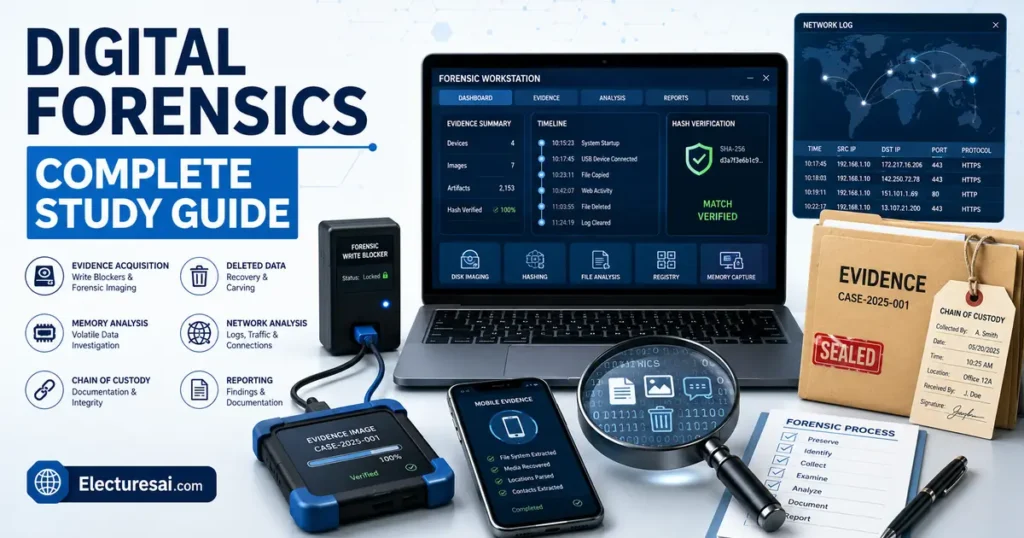
Digital Forensics is an important subject for students of Cybersecurity, Computer Science, Information Technology, Software Engineering, and related degree programs. It explains how investigators identify, preserve, examine, analyze, and report digital evidence from computers, mobile devices, networks, cloud environments, and other electronic systems.
Students often find this subject challenging because it combines technical investigation with legal and procedural requirements. Recovering a deleted file is not enough. An investigator must also demonstrate where the evidence came from, how it was collected, whether it remained unchanged, and how the final conclusion was reached.
This makes Digital Forensics different from ordinary troubleshooting. A technician may repair a damaged system as quickly as possible. A forensic investigator must work carefully to avoid changing evidence that may later be required in a disciplinary inquiry, civil case, criminal investigation, or internal security review.
This guide explains the major concepts of Digital Forensics in simple academic language. It is designed to help you prepare for semester exams, MCQs, short questions, case-based problems, comparison questions, and descriptive answers.
Table of Contents
- What Is Digital Forensics?
- Key Concepts in Digital Forensics
- Digital Forensic Investigation Process
- Major Areas of Digital Forensics
- Important Topics for Exam Preparation
- How to Study Digital Forensics Effectively
- Common Mistakes Students Make
- Expert Tips for Scoring High
- Practice MCQs
- Frequently Asked Questions
- Conclusion
What Is Digital Forensics?
Digital Forensics is the systematic process of identifying, preserving, collecting, examining, analyzing, and presenting digital evidence in a manner that maintains its integrity and supports reliable conclusions.
Digital evidence may be found on:
- Desktop computers
- Laptops
- Mobile phones
- Tablets
- External drives
- USB devices
- Servers
- Network equipment
- Email systems
- Cloud platforms
- Security cameras
- Internet-connected devices
The purpose of an investigation is not always to prove that a person committed a crime. Digital Forensics may also be used to determine what happened, when it happened, which systems were affected, what data was accessed, and how an incident can be prevented in the future.
Digital Forensics Versus Cybersecurity
Cybersecurity focuses mainly on protecting systems, detecting attacks, reducing risk, and responding to threats.
Digital Forensics focuses on reconstructing events and examining evidence after suspicious or harmful activity has occurred.
The two fields are closely connected. Security tools generate logs and alerts that may later become forensic evidence. Forensic findings can also reveal weaknesses that security teams need to fix.
Digital Forensics Versus Incident Response
Incident response is the organized process of detecting, containing, removing, and recovering from a security incident.
Digital Forensics supports incident response by preserving evidence and determining the cause, scope, and timeline of the incident.
In practice, the activities often overlap. A responder may isolate an infected machine while a forensic specialist captures memory, creates a disk image, and collects relevant logs.
Why Is Digital Forensics Important?
Digital systems are involved in banking, communication, education, healthcare, government, business operations, and personal life. As a result, many incidents leave electronic traces.
Digital Forensics can support investigations involving:
- Unauthorized system access
- Data theft
- Malware infections
- Online fraud
- Employee misconduct
- Intellectual-property theft
- Harassment and threats
- Financial manipulation
- Deleted or altered records
- Policy violations
A well-conducted investigation can help an organization understand an incident without relying on guesses.
Key Concepts in Digital Forensics
Digital Evidence
Digital evidence is information of potential investigative value that is stored or transmitted in digital form.
Examples include:
- Documents
- Images and videos
- Emails
- Chat messages
- Browser history
- System logs
- File metadata
- Location data
- Deleted files
- Network packets
- Application records
- Memory contents
Digital evidence can be fragile. Opening a file may change its access time. Starting a computer may modify logs, temporary files, and memory. For this reason, investigators must use controlled procedures.
Evidence Integrity
Evidence integrity means that the collected data remains complete and unaltered from the time of acquisition to the time of analysis and presentation.
An investigator should be able to show that the evidence examined is the same as the evidence originally collected.
This is commonly supported through:
- Write protection
- Forensic imaging
- Cryptographic hash values
- Detailed documentation
- Secure evidence storage
- Controlled access
Cryptographic Hashing
A cryptographic hash function converts data into a fixed-length value often called a hash or digest.
Even a small change in the input usually produces a different hash value.
In a forensic investigation, an investigator may calculate a hash before and after copying a storage device. Matching values provide evidence that the acquired copy is consistent with the original data at the time of hashing.
Text-described process:
Original device → Calculate hash → Create forensic image → Calculate image hash → Compare values
A hash does not prove who created the data. It supports verification of data consistency and integrity.
Chain of Custody
Chain of custody is the documented history of evidence from collection to final disposition.
It normally records:
- Description of the evidence
- Date and time of collection
- Location of collection
- Name of the collector
- Unique evidence identifier
- Storage conditions
- Every person who handled the evidence
- Purpose of each transfer
- Date and time of each transfer
A broken or incomplete chain of custody can create doubt about whether evidence was changed, replaced, or mishandled.
Volatile and Non-Volatile Data
Volatile data may disappear when power is removed or the system state changes.
Examples include:
- Running processes
- Active network connections
- Logged-in users
- Encryption keys in memory
- Clipboard contents
- Unsaved information
Non-volatile data generally remains stored after power is removed.
Examples include:
- Files on a hard drive
- Documents on a USB device
- Stored logs
- Database records
- Mobile-device storage
The distinction affects the order in which evidence is collected.
Order of Volatility
Order of volatility refers to collecting evidence according to how quickly it may disappear or change.
Highly volatile data such as memory and active network connections is often collected before less volatile data such as stored files.
A simplified order may be:
- Processor and cache-related information
- System memory
- Active network connections
- Running processes
- Temporary file systems
- Disk storage
- Remote logs and backups
The exact order depends on the incident, legal authority, operational risk, and system environment.
Forensic Imaging
Forensic imaging is the process of creating a complete, bit-level copy of a storage device or selected evidence source.
A forensic image may include:
- Active files
- Deleted-file remnants
- Unallocated space
- File-system structures
- Slack space
- Partition information
- Metadata
A normal file copy usually copies only visible files. A forensic image is designed to preserve much more of the underlying storage structure.
Write Blocker
A write blocker is a hardware or software control used to prevent changes to a storage device during acquisition or examination.
It allows the investigator to read data while blocking write operations that could alter evidence.
A write blocker should be tested and used correctly. Its presence does not replace documentation, hashing, or careful handling.
Live Acquisition and Dead Acquisition
Live acquisition takes place while a device is powered on and operating.
It may be necessary when:
- Encryption is active
- Important data exists in memory
- Remote connections must be documented
- Shutting down the device would destroy evidence
Dead acquisition occurs when the system is powered off and storage media is examined in a controlled environment.
Live acquisition preserves volatile evidence but changes the running system to some degree. Dead acquisition reduces some forms of change but loses volatile information.
Metadata
Metadata is data that describes other data.
Examples include:
- File creation time
- Modification time
- Access time
- File owner
- Document author
- Image dimensions
- Location coordinates
- Email headers
Metadata can be valuable, but it must be interpreted carefully. System settings, copying, synchronization, application behavior, and deliberate manipulation may affect metadata.
File Deletion and Recovery
Deleting a file does not always remove its contents immediately.
In many file systems, deletion removes or changes the record pointing to the file and marks its storage area as available. Until that area is overwritten, some or all of the data may remain recoverable.
Recovery success depends on:
- File system
- Storage technology
- Time since deletion
- Subsequent writes
- Encryption
- Damage or corruption
- Device-specific behavior
Unallocated Space
Unallocated space is storage not currently assigned to active files.
It may contain remnants of deleted files, fragments of older data, or unused areas.
Slack Space
Slack space is unused space within an allocated storage unit.
If a file does not completely fill its final cluster, the remaining area may contain residual data from previous use.
File Carving
File carving recovers files or fragments based on known content patterns rather than relying entirely on file-system records.
For example, a tool may search for recognizable headers and footers associated with image, document, or archive formats.
Carving can recover data when directory information is missing, but fragmented files may be difficult to reconstruct correctly.
Timeline Analysis
Timeline analysis organizes events according to date and time.
An investigator may combine:
- File timestamps
- Login events
- Browser activity
- Email records
- USB history
- Network logs
- Application events
The goal is to reconstruct what happened before, during, and after an incident.
Time zones, clock drift, incorrect system clocks, and daylight-saving settings must be considered.
Digital Forensic Investigation Process
1. Preparation
Preparation includes defining authority, scope, objectives, tools, personnel, and procedures.
Before collection begins, investigators should understand:
- What incident is being investigated
- Which systems may contain evidence
- What legal or organizational authority applies
- Which data must be preserved
- Which tools are appropriate
- How evidence will be stored
2. Identification
Identification determines which devices, accounts, logs, applications, and data sources may contain relevant evidence.
An investigation involving unauthorized document access may require examination of a laptop, file server, email system, cloud-storage account, and security logs.
3. Preservation
Preservation protects evidence from alteration, loss, or contamination.
Actions may include:
- Isolating a device
- Preventing remote access
- Using write blockers
- Capturing volatile data
- Creating forensic images
- Calculating hashes
- Securing original evidence
4. Collection or Acquisition
Acquisition creates a controlled copy of the selected evidence.
The investigator records the device details, acquisition method, tool version, date, time, hash values, and any errors encountered.
5. Examination
Examination extracts and organizes potentially relevant information.
Activities may include:
- Recovering deleted files
- Filtering known system files
- Searching keywords
- Extracting browser history
- Parsing logs
- Identifying user accounts
- Reviewing file metadata
- Examining application artefacts
6. Analysis
Analysis interprets the examined data and connects separate artefacts into meaningful conclusions.
An investigator may determine:
- Which account was used
- When a file was accessed
- Whether a USB device was connected
- How malware entered the system
- Which server received stolen data
- Whether records were altered
Examination finds information. Analysis explains what that information means in the context of the investigation.
7. Reporting
The report documents the scope, methods, tools, findings, limitations, and conclusions.
A strong forensic report should be:
- Clear
- Objective
- Reproducible
- Technically accurate
- Supported by evidence
- Understandable to the intended audience
The investigator should distinguish observed facts from interpretations.
8. Review and Evidence Retention
After reporting, evidence and case records may need to be retained according to legal, organizational, or contractual requirements.
A review can identify procedural weaknesses and lessons for future investigations.
Major Areas of Digital Forensics
Computer and Disk Forensics
Computer forensics examines desktops, laptops, servers, storage devices, and file systems.
Common artefacts include:
- User documents
- Deleted files
- Operating-system logs
- Installed applications
- Browser history
- USB-device history
- Registry or configuration records
- File-system metadata
Memory Forensics
Memory forensics examines data captured from volatile system memory.
Memory may contain:
- Running processes
- Loaded modules
- Network connections
- Malware code
- Decrypted content
- Credentials or keys
- Command history
Memory analysis is particularly valuable when malware operates mainly in memory or when a disk is encrypted.
Network Forensics
Network forensics examines network traffic and related logs.
Evidence sources may include:
- Packet captures
- Firewall logs
- Router logs
- Proxy records
- DNS logs
- Authentication logs
- Intrusion-detection alerts
Network evidence can help identify communication with suspicious systems, data transfers, scanning activity, and attack paths.
Mobile-Device Forensics
Mobile forensics examines smartphones, tablets, SIM-related data, applications, and synchronized services.
Potential evidence includes:
- Calls
- Contacts
- Messages
- Application data
- Images and videos
- Location information
- Browser history
- Cloud backups
- Device logs
Modern mobile devices use encryption, secure hardware, application sandboxes, and frequent software updates, which can make acquisition difficult.
Email Forensics
Email forensics examines message content, headers, attachments, server records, and account activity.
Email headers may reveal routing information, originating systems, timestamps, and authentication results.
Cloud Forensics
Cloud forensics involves evidence stored or processed in cloud environments.
Challenges include:
- Shared infrastructure
- Provider-controlled systems
- Data stored across regions
- Rapidly changing virtual resources
- Limited physical access
- Legal jurisdiction
- Short log-retention periods
Preparation and provider logging are important because evidence may disappear before an investigation begins.
Database Forensics
Database forensics examines database records, transaction logs, user activity, deleted entries, and unauthorized modifications.
It may be used to investigate financial manipulation, altered student records, suspicious account changes, or unauthorized data extraction.
Malware Forensics
Malware forensics studies malicious software and its behavior.
Investigators may examine:
- File characteristics
- Persistence methods
- Network connections
- Process activity
- Modified files
- Configuration data
- Indicators of compromise
Static analysis examines a suspicious file without executing it. Dynamic analysis observes its behavior in a controlled environment.
Important Topics for Digital Forensics Exam Preparation
Give special attention to the following topics:
- Definition and scope of Digital Forensics
- Digital evidence and evidence integrity
- Chain of custody
- Hashing and evidence verification
- Volatile and non-volatile data
- Order of volatility
- Live and dead acquisition
- Forensic imaging
- Write blockers
- File-system artefacts
- Deleted-file recovery
- Unallocated and slack space
- File carving
- Metadata analysis
- Timeline reconstruction
- Computer and disk forensics
- Memory forensics
- Network forensics
- Mobile-device forensics
- Email and cloud forensics
- Malware analysis
- Investigation phases
- Forensic reporting
- Legal and ethical considerations
Examiners may present a scenario and ask which action should occur first. For example, if a running computer may contain encryption keys in memory, immediately switching it off could destroy valuable volatile evidence.
Step-by-Step: How to Study Digital Forensics Effectively
Step 1: Understand the Investigation Lifecycle
Learn the sequence from preparation and identification to preservation, acquisition, examination, analysis, and reporting.
Step 2: Separate Preservation From Analysis
Preservation protects evidence. Analysis interprets evidence. Mixing these concepts is a common source of incorrect answers.
Step 3: Create a Chain-of-Custody Example
Imagine a seized USB device and write down who collected it, when it was collected, how it was sealed, where it was stored, and who later examined it.
Step 4: Compare Acquisition Methods
Prepare a table comparing:
- Live acquisition and dead acquisition
- Logical acquisition and physical acquisition
- Normal copying and forensic imaging
- Hardware and software write blocking
Step 5: Study Artefacts by Source
Connect each evidence source with common artefacts:
- Disk — files, metadata, deleted content
- Memory — processes, connections, keys
- Network — packets, sessions, logs
- Mobile — messages, apps, location data
- Email — headers, attachments, routing details
Step 6: Practise Timeline Questions
Arrange file events, login records, browser activity, and network logs into chronological order.
Step 7: Use Case-Based Revision
For each topic, ask what evidence would be collected, how it would be preserved, and what conclusion it could support.
Step 8: Attempt Timed MCQs
Complete topic-wise questions first. Before the exam, attempt a mixed quiz under a timer and review every incorrect explanation.
Common Mistakes Students Make
Confusing a Backup With a Forensic Image
A backup is created mainly for data restoration. A forensic image is created to preserve evidence, including underlying storage structures and potentially deleted data.
Assuming a Hash Proves Ownership
A hash helps verify data consistency. It does not prove who created, accessed, or owned the data.
Confusing Examination and Analysis
Examination extracts and organizes data. Analysis interprets that data and explains its significance.
Ignoring Volatile Evidence
Powering off a running system may destroy memory contents, active connections, and encryption-related information.
Working Directly on Original Evidence
Whenever possible, investigators examine verified forensic copies and protect the original evidence.
Assuming Deleted Means Permanently Erased
Deleted data may remain recoverable until it is overwritten or removed by device-specific processes.
Trusting Every Timestamp Without Verification
Timestamps may be affected by copying, time-zone settings, clock errors, applications, synchronization, or manipulation.
Writing Conclusions Without Evidence References
A forensic conclusion should be connected to specific artefacts, logs, timestamps, hashes, or other documented findings.
Expert Tips for Scoring High in Digital Forensics
- Begin long answers with a clear definition.
- Write investigation phases in the correct order.
- Explain why evidence preservation matters.
- Use chain-of-custody examples in descriptive answers.
- Differentiate facts, observations, and interpretations.
- Include hashing and write protection in acquisition answers.
- Use comparison tables for live and dead acquisition.
- Connect each forensic domain with its evidence sources.
- Mention limitations when discussing a forensic method.
- Practise case-based and scenario-based MCQs.
Practice MCQs
MCQ 1
What is the main purpose of a forensic write blocker?
A. To prevent changes to the evidence device
B. To encrypt all evidence automatically
C. To delete temporary files
D. To improve internet speed
Correct Answer: A. To prevent changes to the evidence device
Explanation: A write blocker allows reading while preventing write operations that could alter evidence. It does not replace hashing or chain-of-custody documentation.
MCQ 2
Which record documents every person who handled digital evidence?
A. Chain of custody
B. File allocation table
C. Network address table
D. Password policy
Correct Answer: A. Chain of custody
Explanation: Chain of custody records evidence collection, storage, transfer, and handling. It helps demonstrate that evidence remained controlled.
MCQ 3
Which type of evidence is most likely to disappear when a computer loses power?
A. Data in RAM
B. Files stored on a hard drive
C. Printed documents
D. Archived backups
Correct Answer: A. Data in RAM
Explanation: RAM is volatile memory and normally loses its contents when power is removed. Disk files and backups are non-volatile.
MCQ 4
What does matching hash value generally support?
A. The acquired copy is consistent with the original data
B. The suspect created the file
C. The file is legally admissible in every situation
D. The device contains no deleted data
Correct Answer: A. The acquired copy is consistent with the original data
Explanation: Matching hashes support integrity verification. They do not prove authorship, intent, or automatic legal admissibility.
MCQ 5
Which phase interprets forensic artefacts and connects them to an incident?
A. Analysis
B. Packaging
C. Formatting
D. Compression
Correct Answer: A. Analysis
Explanation: Analysis explains the meaning of the collected and examined evidence. Examination mainly extracts and organizes relevant information.
Frequently Asked Questions
What is Digital Forensics in simple words?
Digital Forensics is the process of collecting and examining information from electronic devices to understand an incident. The evidence must be handled carefully so that its integrity can be demonstrated.
Is Digital Forensics the same as cybersecurity?
No. Cybersecurity focuses on protecting systems and reducing threats, while Digital Forensics focuses on investigating events and analyzing evidence. The two areas frequently support each other.
Why is chain of custody important?
Chain of custody documents who collected, stored, transferred, and examined the evidence. It reduces doubt about possible alteration, substitution, or mishandling.
What is the difference between a backup and a forensic image?
A backup is primarily intended for restoration. A forensic image is a controlled bit-level copy designed to preserve active files, deleted remnants, metadata, and storage structures for investigation.
Why are hash values used in Digital Forensics?
Hash values help verify whether evidence or its forensic copy has changed. Matching values support evidence-integrity checks.
What is the difference between live and dead acquisition?
Live acquisition collects evidence while a device is running, which allows access to volatile data. Dead acquisition examines powered-off storage but cannot preserve information that existed only in memory.
Which Digital Forensics topics are most important for exams?
Chain of custody, hashing, forensic imaging, volatile data, acquisition methods, deleted-file recovery, forensic domains, investigation phases, and reporting are commonly examined.
How should I prepare Digital Forensics MCQs?
Study the investigation sequence, compare similar concepts, and connect each evidence source with its artefacts. Finish with mixed case-based questions under a timer.
Conclusion
Digital Forensics provides a structured method for investigating electronic evidence. Its core principles include preservation, integrity, documentation, repeatability, and objective analysis.
The subject becomes easier when you understand the complete investigation process. Begin with identification, preserve the evidence, acquire verified copies, examine artefacts, analyze their meaning, and present conclusions clearly.
Use process diagrams, comparison tables, practical scenarios, and regular MCQ practice. This approach will strengthen your understanding and improve your semester-exam performance.
Ready to Test Your Knowledge?
If you want to practice Digital Forensics MCQs with answers, explanations, and exam-focused questions, continue your preparation on TestInFlow.
Practice Digital Forensics MCQs on TestInFlow →
Want to Explore More Topics?
eLecturesAI covers university subjects with detailed lecture notes, study guides, MCQs, and exam-preparation resources.