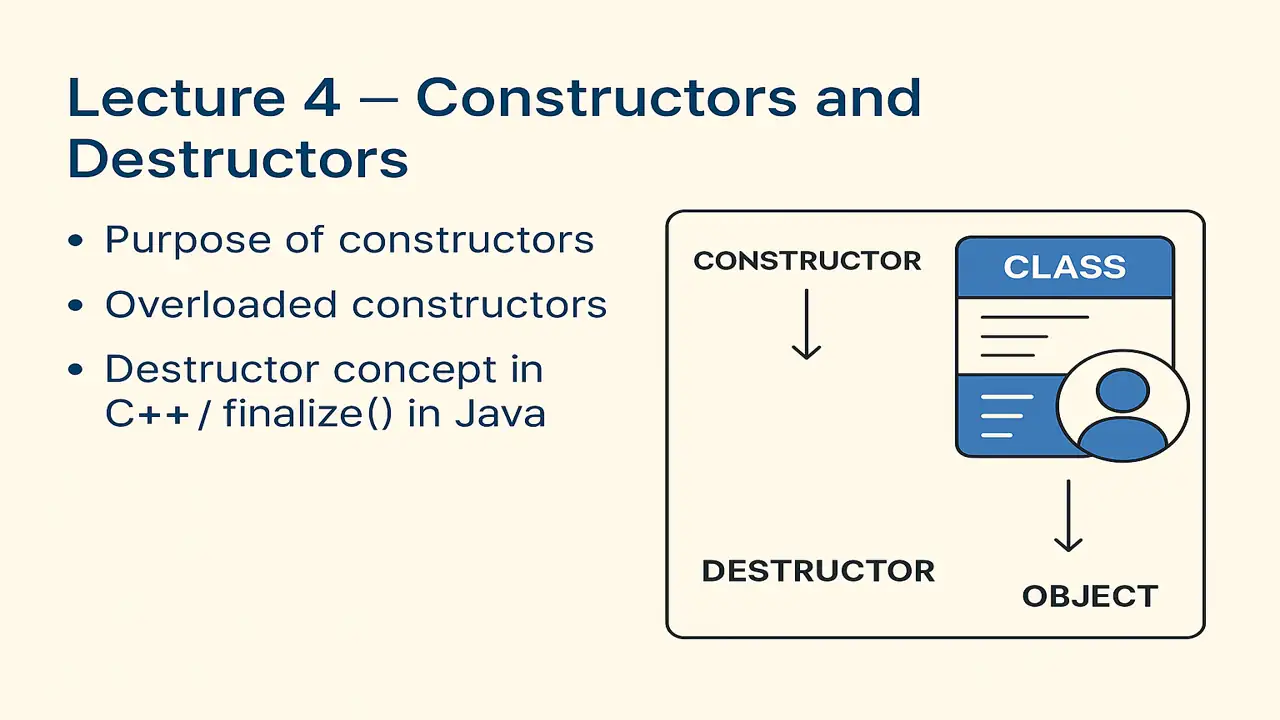
Constructors and Destructors
Explore the complete concept of Constructors and Destructors in Object-Oriented Programming. Learn their purpose, types, overloading in C++ and Java, and how destructors and finalize() ensure efficient memory management in real-world applications.
What is a Constructor?
A constructor is a special function that is automatically called when an object is created.
Its purpose is to initialize object data (assign default or user-defined values).
Key Features:
- Has the same name as the class.
- Has no return type (not even
void). - Is automatically invoked when you create an object.
Purpose of Constructors
Constructors make sure your objects start in a valid, ready-to-use state.
They help you:
- Avoid uninitialized data.
- Simplify object creation.
- Make code more readable and secure.
Example (C++):
#include <iostream>
using namespace std;

class Student {
public:
    string name;
    int age;

    // Constructor
    Student(string n, int a) {
        name = n;
        age = a;
    }

    void display() {
        cout << "Name: " << name << ", Age: " << age << endl;
    }
};

int main() {
    Student s1("Ali", 20); // Constructor called automatically
    s1.display();

    Student s2("Sara", 22);
    s2.display();
}
Explanation:
- When we create
Student s1("Ali", 20), the constructor runs automatically. - No need to manually assign variables constructor handles it!
Example (Java):
class Student {
    String name;
    int age;

    // Constructor
    Student(String n, int a) {
        name = n;
        age = a;
    }

    void display() {
        System.out.println("Name: " + name + ", Age: " + age);
    }

    public static void main(String[] args) {
        Student s1 = new Student("Ali", 20);
        Student s2 = new Student("Sara", 22);
        s1.display();
        s2.display();
    }
}
In Java, constructors work similarly they initialize new objects.
Lecture 3 – Classes and Objects in Practice
Types of Constructors
1. Default Constructor
Automatically provided by the compiler if you don’t create one yourself.
class Example {
public:
    Example() {
        cout << "Default constructor called!" << endl;
    }
};

int main() {
    Example e; // Default constructor runs
}
2. Parameterized Constructor
Takes arguments to initialize values directly.
class Box {
public:
    int length, width;

    Box(int l, int w) {
        length = l;
        width = w;
    }
};
3. Copy Constructor (C++)
Used to copy data from one object to another.
class Student {
public:
    string name;
    Student(string n) { name = n; }

    // Copy constructor
    Student(const Student &s) {
        name = s.name;
    }
};
4. Overloaded Constructors
Constructor overloading means having multiple constructors with different parameter lists.
It gives flexibility when creating objects in different ways.
Example (C++):
class Rectangle {
public:
    int length, width;

    Rectangle() { length = width = 1; }         // Default constructor
    Rectangle(int l, int w) { length = l; width = w; } // Parameterized
    Rectangle(int s) { length = width = s; }    // Square constructor
};

int main() {
    Rectangle r1;           // Calls default
    Rectangle r2(4, 5);     // Calls parameterized
    Rectangle r3(7);        // Calls square version
}
The compiler chooses the constructor based on arguments.
Example (Java):
class Rectangle {
    int length, width;

    Rectangle() {
        length = width = 1;
    }

    Rectangle(int l, int w) {
        length = l;
        width = w;
    }

    Rectangle(int s) {
        length = width = s;
    }
}
5. Destructor in C++
A destructor is a special function that is automatically called when an object is destroyed (goes out of scope or deleted).
It is used to free memory or release resources.
Syntax:
~ClassName() {
    // cleanup code
}
Example:
#include <iostream>
using namespace std;

class FileHandler {
public:
    FileHandler() {
        cout << "File opened!" << endl;
    }

    ~FileHandler() {
        cout << "File closed!" << endl;
    }
};

int main() {
    FileHandler fh;
    // Destructor called automatically at end of scope
}
When fh goes out of scope, the destructor is automatically called.
6. finalize() in Java
In Java, memory management is handled by the Garbage Collector (GC).
But sometimes, we still need to release non-memory resources (like closing files or connections).
The finalize() method acts like a destructor, but it is called by the garbage collector before destroying an object.
Example (Java):
class FileHandler {
    FileHandler() {
        System.out.println("File opened!");
    }

    protected void finalize() {
        System.out.println("File closed!");
    }

    public static void main(String[] args) {
        FileHandler f = new FileHandler();
        f = null;
        System.gc(); // Request garbage collection
    }
}Note:finalize() is deprecated in modern Java (use try-with-resources instead).
However, it’s still important to understand conceptually as the Java equivalent of destructors.
Summary of Lecture 4
| Concept | Description | Example |
|---|---|---|
| Constructor | Initializes objects automatically | Student("Ali", 20) |
| Overloaded Constructor | Multiple versions with different parameters | Rectangle(), Rectangle(int), Rectangle(int,int) |
| Destructor (C++) | Cleans up memory/resources | ~ClassName() |
| finalize() (Java) | Cleans up before GC removes object | protected void finalize() |
Positive Thought for Students
“A good constructor builds confidence; a clean destructor builds discipline. In coding and in life create with care, and always clean up gracefully.”