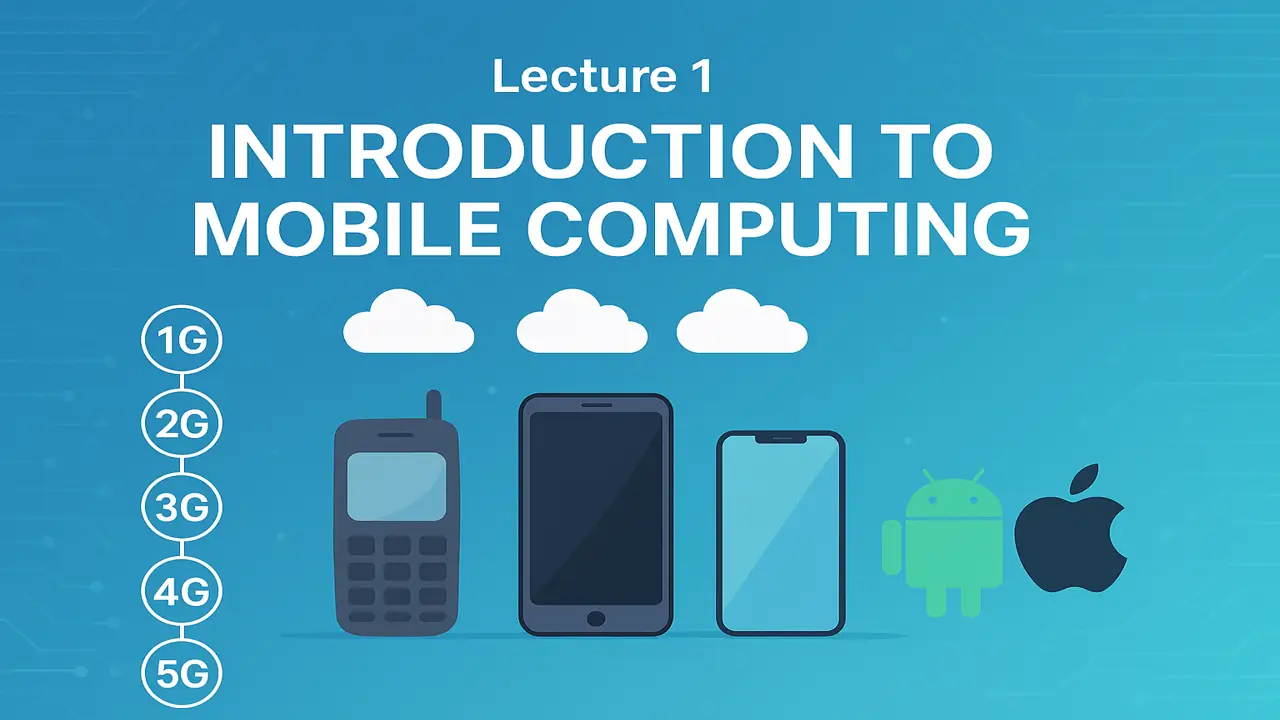
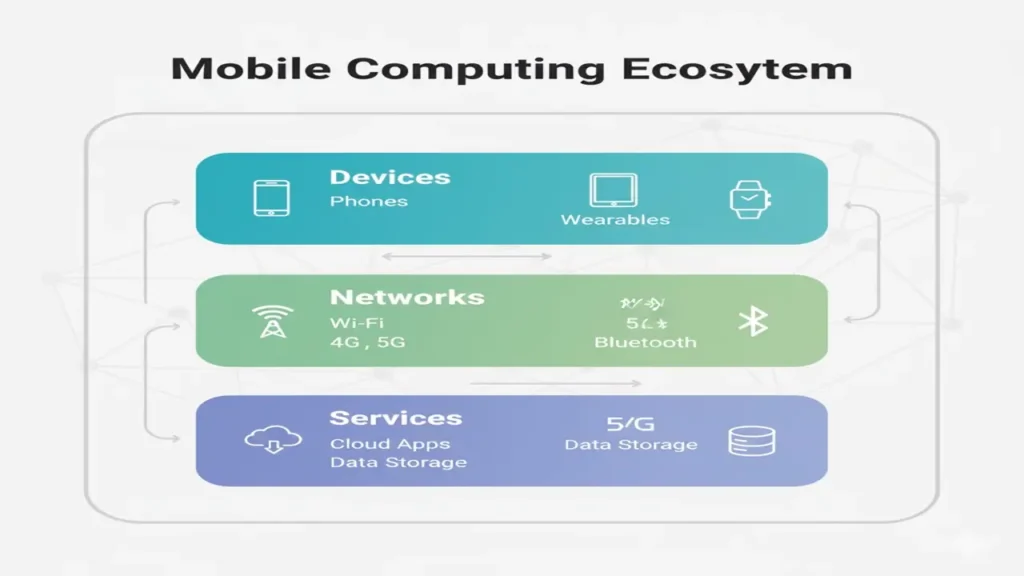
Mobile Computing means accessing data, applications, and services through portable devices like smartphones, tablets, and wearables anywhere, anytime.
It allows wireless communication and processing using Wi-Fi, Bluetooth, and cellular networks.
Example:
- Using WhatsApp to send messages via mobile data
- Checking email through your phone’s Gmail app
There is a deep relation between mobile computing and web technology, that is why you should have basic understanding about web technology (1st Lecture).
History & Evolution of Mobile Devices
Mobile devices evolved from simple communication tools to powerful smart computers.
| Generation | Period | Features |
|---|---|---|
| 1G | 1980s | Analog voice calls only |
| 2G | 1990s | Digital calls, SMS |
| 3G | 2000s | Internet access, apps |
| 4G | 2010s | High-speed data, HD video |
| 5G | 2020s | Ultra-fast data, IoT, AI integration |
Example:
- Nokia 3310 (2G) → Calls & SMS
- iPhone 3G (2008) → First major smartphone revolution
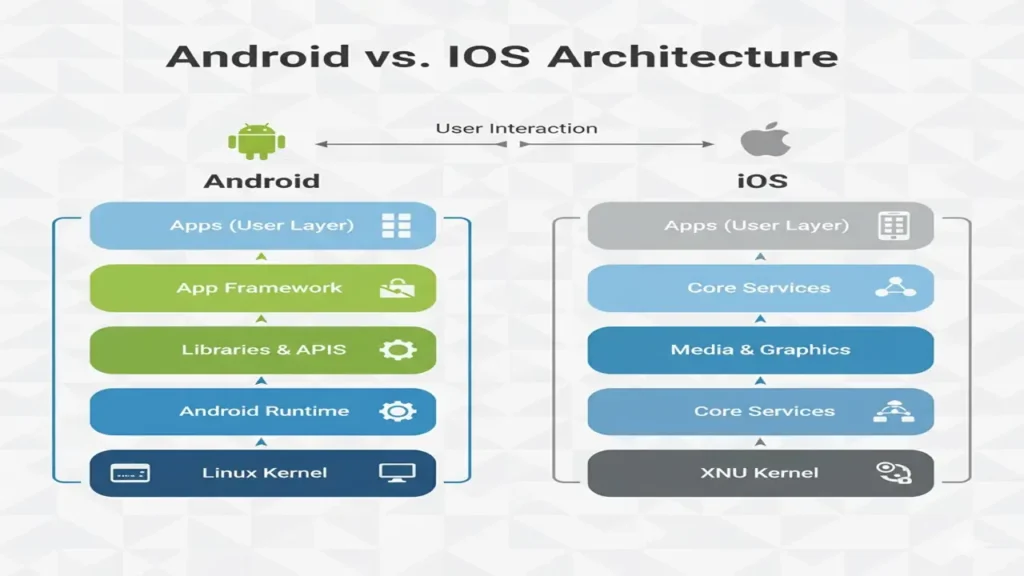
Mobile Operating Systems: Android vs iOS
Both Android and iOS dominate the smartphone market.
Let’s compare their features:
| Feature | Android | iOS |
|---|---|---|
| Developer | Apple | |
| Language | Java, Kotlin | Swift, Objective-C |
| Store | Play Store | App Store |
| Customization | Highly customizable | Limited customization |
| Devices | Samsung, Xiaomi, Pixel | iPhone, iPad |
| File Access | Open | Restricted |
| Development Tool | Android Studio | Xcode |
Example:
If you build an app in Kotlin, it runs on Android devices.
If you build it in Swift, it runs on iPhones.
App Development Environments
Developers use IDE (Integrated Development Environments) to build, test, and publish mobile apps.
| Platform | IDE | Language | Example App |
|---|---|---|---|
| Android | Android Studio | Kotlin/Java | Notes App |
| iOS | Xcode | Swift | iMessage |
| Cross-Platform | Flutter | Dart | Google Ads App |
Example:
Flutter allows creating a single codebase that runs on both Android and iOS.
Understanding APKs and App Lifecycles
APK (Android Package Kit)
An APK is the file format used to distribute and install apps on Android devices.
It contains code, resources, and manifest data. You can also create informational website using html, css and j.s like stovenest.
Example File Structure:
app.apk
 ├── classes.dex   (compiled code)
 ├── AndroidManifest.xml
 ├── res/          (images, layouts)
 └── META-INF/     (signatures)
Keep learning, keep growing, here is your upcoming lecture:
lecture#2 Andriod setup and project structure.
App Lifecycle
The Activity Lifecycle defines how your app behaves as users open, minimize, or close it.
| Method | Description |
|---|---|
onCreate() | Called when app starts |
onStart() | App visible to user |
onResume() | App in foreground |
onPause() | User partially leaves app |
onStop() | App not visible |
onDestroy() | App closed completely |
Example:
When you open Instagram → onCreate() and onResume() run.
When you switch to WhatsApp → Instagram’s onPause() triggers.
Summary
After this lecture, students can:
- Explain the concept of mobile computing
- Describe the evolution of mobile devices
- Compare Android and iOS platforms
- Understand development environments (Android Studio, Xcode, Flutter)
- Explain APK structure and app lifecycle
People also ask:
Mobile computing is the use of portable computing devices such as smartphones, tablets, and laptops that allow users to access data and applications anytime and anywhere through wireless networks.
The key components include mobile devices, mobile communication networks (like Wi-Fi, 4G/5G), and mobile software or applications that enable seamless data exchange.
It enables real-time communication, on-the-go productivity, and ubiquitous access to information, which makes it essential for modern business, education, and social interaction.