Coding with JavaScript. Learn variables, data types, operators, functions, conditionals, and DOM manipulation with practical examples and mini labs.
Introduction
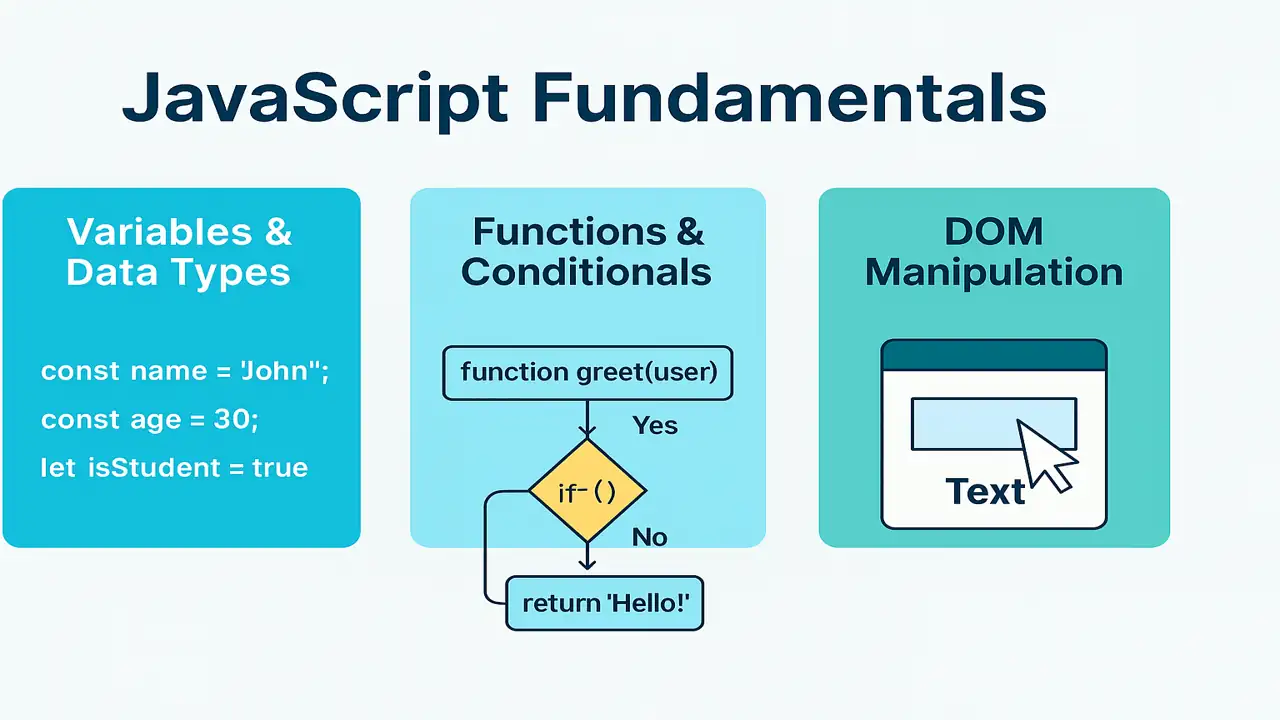
JavaScript (JS) makes web pages interactive. With JS you can read user input, react to clicks, change the page without reloading, and talk to servers. In this lecture you’ll master variables, data types, operators, functions, conditionals, and DOM manipulation.
Variables, Data Types, Operators
Variables
Use let and const (modern, block-scoped). Avoid var for now.
js
const siteName = "ElecturesAI"; // constant
let visitors = 0;               // can change later
visitors += 1;
When to use which?
constby default;letwhen you must reassign.
Data Types
- Primitive:
string,number,boolean,null,undefined,bigint,symbol - Reference:
object,array,function,Date, etc.
js
const title = "JS Intro";        // string
const price = 499.99;            // number
const isPublished = true;        // boolean
let notSet;                      // undefined
const tags = ["js","basics"];    // array (object)
const author = {name:"NexAI"};   // object
Operators (quick hits)
- Arithmetic:
+ - * / % ** - Assignment:
= += -= - Comparison:
=== !== < > <= >= - Logical:
&& || ! - String concat:
+or template literal`Hi ${name}`
js
const a = 7, b = 3;
const sum = a + b;          // 10
const both = a > 5 && b < 5 // true
const msg = `Sum is ${sum}` // "Sum is 10"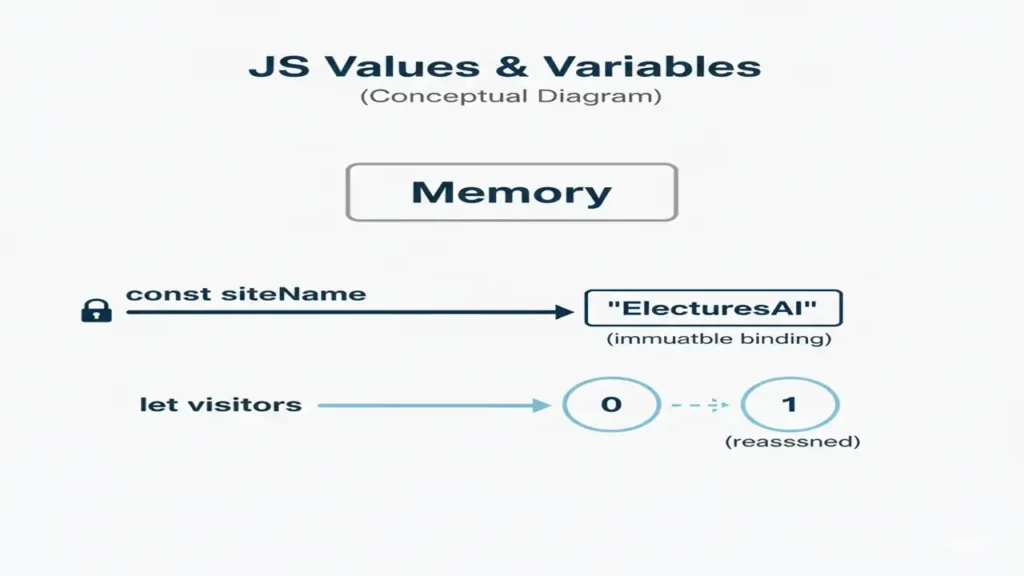
Functions and Conditionals
Functions
Two common styles:
// Function declaration
function greet(name) {
  return `Hello, ${name}`;
}

// Arrow function
const square = n => n * n;

console.log(greet("Student"));
console.log(square(5)); // 25
Parameters & default values
function priceAfterDiscount(price, off = 0.1) {
  return price * (1 - off);
}
Conditionals
const score = 78;

if (score >= 90) {
  console.log("A");
} else if (score >= 80) {
  console.log("B");
} else if (score >= 70) {
  console.log("C");
} else {
  console.log("Keep going!");
}

// Ternary (short form)
const statusText = score >= 50 ? "Pass" : "Fail";
Common pitfalls
- Use
===(strict equality) instead of==to avoid type coercion surprises. - Wrap boolean logic for readability, e.g.,
(isLoggedIn && isAdmin).
DOM Manipulation (Making the Page React)
The DOM (Document Object Model) lets JS read/change HTML & CSS at runtime.
Selecting Elements
<h1 id="title">Hello</h1>
<button class="btn">Change Text</button>
const title = document.getElementById("title");
const button = document.querySelector(".btn");Changing Content & Styles
title.textContent = "Welcome to JavaScript";
title.style.color = "#2f855a";
Responding to Events
button.addEventListener("click", () => {
  title.textContent = "You clicked the button!";
});
Creating & Appending Elements
const list = document.createElement("ul");
["HTML","CSS","JS"].forEach(item => {
  const li = document.createElement("li");
  li.textContent = item;
  list.appendChild(li);
});
document.body.appendChild(list);
Mini Lab Interactive Counter
HTML
<h2 id="count">0</h2>
<button id="inc">+</button>
<button id="dec">-</button>
<button id="reset">Reset</button>
CSS
h2 { font: 700 2rem/1.1 system-ui; color:#2f855a; }
button { margin:.25rem; padding:.5rem 1rem; }
JavaScript
const countEl = document.getElementById("count");
let count = 0;

const render = () => (countEl.textContent = count);

document.getElementById("inc").addEventListener("click", () => { count++; render(); });
document.getElementById("dec").addEventListener("click", () => { count--; render(); });
document.getElementById("reset").addEventListener("click", () => { count = 0; render(); });

render();
The approach followed at E Lectures reflects both academic depth and easy-to-understand explanations.
Summary
- Use
const/let, know your data types and operators. - Write functions to reuse logic; control flow with if/else & ternary.
- Read and update the DOM; handle events to react to user actions.
These skills power almost every interactive feature you’ll build next.
People also ask:
var: function-scoped, hoisted (legacy).
let: block-scoped, reassignable.
const: block-scoped, not reassignable (but object contents can change).
Use === (strict) to avoid type coercion surprises.
0 == "0"   // true
0 === "0" // falseundefined: variable declared but not assigned.
null: an intentional empty value.
typeof 42;           // "number"
Array.isArray([]); // truePrimitives: stored by value (string, number, boolean, null, undefined, bigint, symbol).
Reference: objects/arrays/functions stored by reference.
Declarations are moved to the top at compile time. var becomes undefined; let/const exist in a temporal dead zone until initialized.
Arrow functions are shorter, don’t have their own this/arguments.
const add = (a,b)=>a+b;  // arrow
function add2(a,b){return a+b;} // declaration